
ROG Laptop Tune-Up – Mail-In Service
Professional ROG Laptop Tune-Up Mail-In Service to optimize performance, clean hardware, update software, and fix minor issues for smooth gaming and high-performance computing.

The Definitive ROG Laptop Tune-Up for Peak Gaming Performance
Our ROG Laptop Tune-Up Mail-In Service is designed for gamers, content creators, and professionals who want to maximize their laptop’s performance. Over time, laptops can slow down due to dust accumulation, overheating, software bloat, outdated drivers, or minor hardware issues.
Our tune-up service ensures your ROG laptop runs faster, cooler, and more efficiently without the need to visit a repair shop. Through our Mail-In Service, you can ship your ROG laptop safely to our certified technicians.
We perform a comprehensive tune-up that includes cleaning internal components, replacing thermal paste, checking and repairing fans, updating BIOS and drivers, removing unnecessary software, optimizing system settings, and checking hardware health. After the tune-up, your laptop undergoes rigorous testing to ensure stable performance and proper cooling.
Our service is ideal for ROG laptops used for gaming, heavy software, or multitasking. By using high-quality components, careful maintenance, and professional diagnostics, our ROG Laptop Tune-Up Mail-In Service restores peak performance, reduces thermal throttling, and extends the laptop’s lifespan. Whether you experience lag, noise, or slow load times, our service provides a reliable, convenient, and professional solution.
Why Your Gaming Rig Needs a ROG Laptop Tune-Up?
Gaming laptops operate under extreme thermal conditions, especially the ultra-slim Zephyrus and high-wattage Strix SCAR models. A ROG Laptop Tune-Up is essential because these devices accumulate internal dust faster than standard PCs due to their high-airflow fans. When dust builds up, the liquid metal thermal compound has to work harder, eventually leading to “thermal throttling” where the CPU slows down to prevent heat damage.
Beyond the physical, software bloat is a silent performance killer. Modern 2026 games demand every megabyte of available RAM. If your system is clogged with unnecessary startup apps or legacy drivers, you’ll experience “stuttering” even on powerful RTX 50-series GPUs. A regular tune-up clears these bottlenecks, ensuring that 100% of your hardware’s potential is dedicated to your gameplay.
Key Components of a ROG Laptop Tune-Up
A comprehensive tune-up involves both hardware and software optimization. Here’s what a complete process typically includes:
1. Internal Cleaning and Dust Removal
Dust is the silent enemy of gaming laptops. It accumulates in fans and vents, restricting airflow and causing overheating.
- Cleaning fans and heat sinks
- Clearing ventilation pathways
- Ensuring optimal airflow
This step alone can significantly improve temperature management and performance stability.
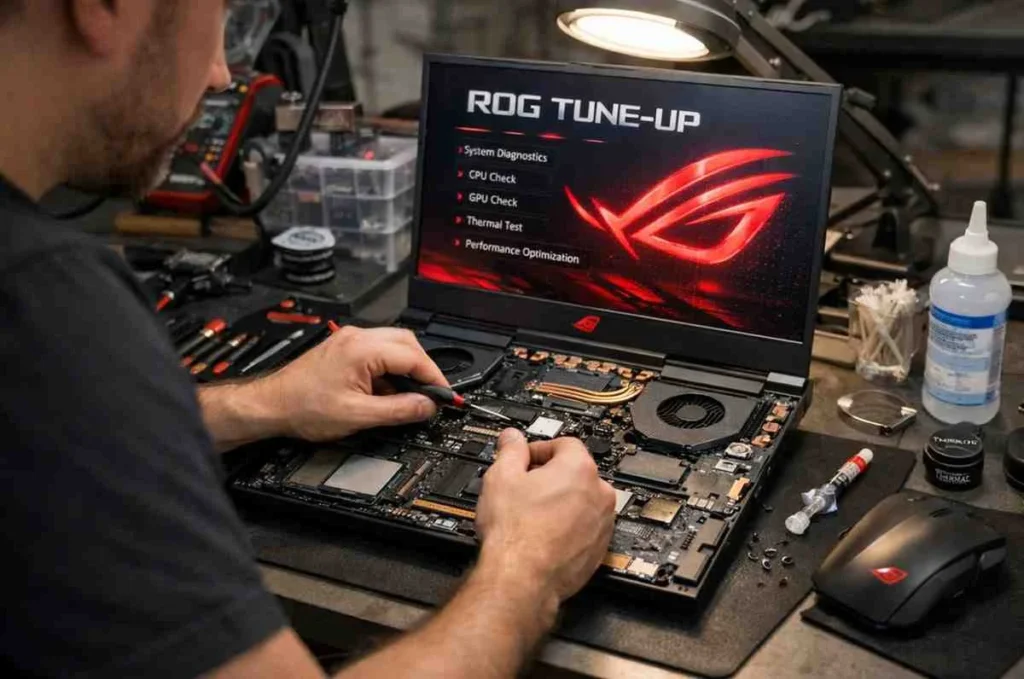
2. Thermal Paste Replacement
Thermal paste helps transfer heat from the CPU and GPU to the cooling system. Over time, it dries out and loses effectiveness.
- Reapplying high-quality thermal paste
- Reducing CPU/GPU temperatures
- Improving sustained performance under load
If your laptop heats up quickly or throttles performance, this is often the culprit.

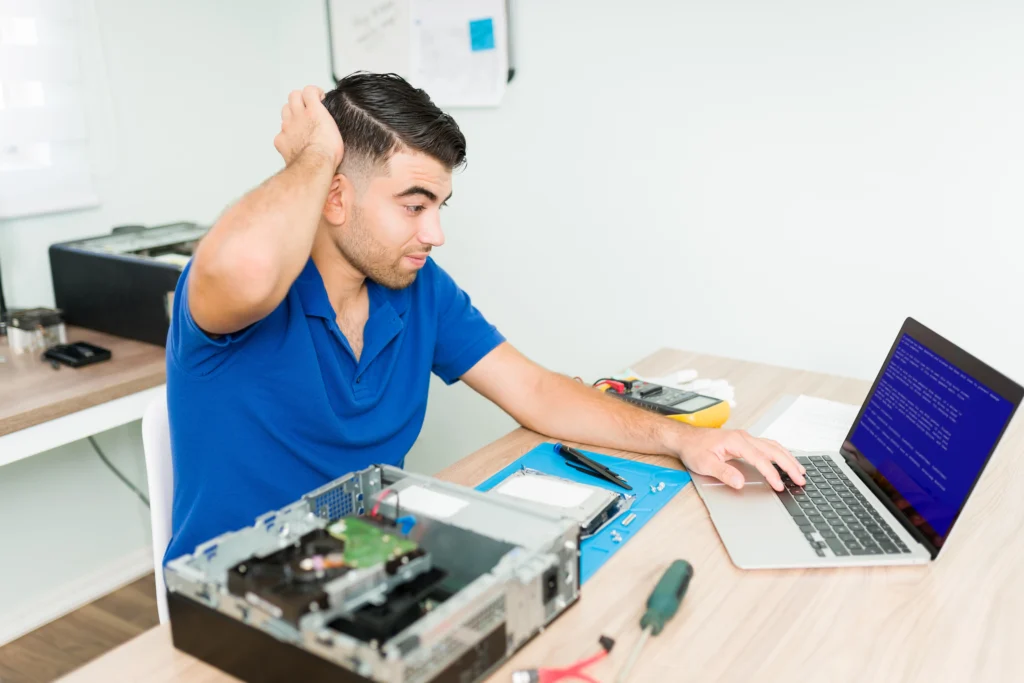
3. Software Optimization
A cluttered system can slow down even the most powerful ROG machine.
- Removing unnecessary startup programs
- Cleaning temporary files
- Optimizing system settings
- Updating Windows and firmware
This ensures faster boot times and smoother operation.
Optimizing Software with Armoury Crate and G-Helper
The heart of any ROG gaming laptop repair service or optimization session is the control software. ASUS provides the Armoury Crate ecosystem, which allows you to switch between Silent, Performance, and Turbo modes. However, for a true professional-grade tune-up, many enthusiasts in 2026 are turning to G-Helper—a lightweight, open-source alternative that offers finer control over fan curves and undervolting without the system overhead.
Manual Mode
Create custom fan curves that ramp up earlier to prevent heat spikes.
GPU Mode (MUX Switch)
Ensure you are in “Ultimate” or “GPU Only” mode to bypass the integrated graphics and reduce latency.
Aura Sync
Disable unnecessary lighting effects during heavy gaming to save a few watts of power for the processor.
Maximizing Your ROG Nebula Display Settings
Your tune-up isn’t complete until your visuals are optimized. ROG Nebula and Nebula HDR panels are capable of incredible brightness and color accuracy, but they require the right settings. Ensure your refresh rate is set to the maximum (e.g., 240Hz or 300Hz) in Windows Display Settings, as updates can sometimes reset this to 60Hz.
Use the GameVisual tool within Armoury Crate to calibrate your screen based on the genre you’re playing. For example, “FPS Mode” enhances visibility in dark corners, while “Cinema” boosts contrast for immersive RPGs. Checking for firmware updates for your display can also resolve flickering issues or HDR calibration bugs that often go unnoticed.
More About Our ROG Laptop Repair Services









Frequently Asked Questions
The service includes internal cleaning, fan and cooling inspection, thermal paste replacement, software optimization, driver and BIOS updates, performance testing, and minor hardware repairs to maximize speed and stability.
Most tune-ups are completed within 2–4 business days after we receive your ROG laptop. We provide regular updates during the process to ensure transparency and peace of mind.
Yes. We clean dust, replace thermal paste, and inspect the cooling system, which reduces overheating, minimizes fan noise, and improves overall performance and system stability.
Absolutely. We perform hardware and software optimizations without altering personal files. Our Mail-In Service prioritizes data safety and device integrity at all times.
Yes. By cleaning hardware, updating drivers, optimizing settings, and ensuring proper cooling, our tune-up enhances FPS, reduces lag, and maintains thermal stability for smoother gaming and multitasking performance.