
- Home
- Laptop Brands
- Dynabook Laptop Repair
Dynabook Laptop Liquid Damage Repair – Fast, Safe & Expert Mail-In Service
Dynabook Laptop Liquid Damage Repair is a professional service that involves diagnosing, cleaning, and repairing laptops exposed to water or spills. It includes corrosion removal, motherboard repair, ultrasonic cleaning, and component-level testing.

Liquid damage is one of the most critical and underestimated threats to laptops. A simple spill—water, coffee, tea, or juice—can silently infiltrate internal components and cause corrosion, short circuits, or permanent motherboard failure. Many users delay action, unaware that even a few minutes can determine whether a device is repairable or beyond recovery.
If you’re searching for Dynabook Laptop Liquid Damage Repair, chances are your device is already showing symptoms such as failure to power on, keyboard malfunction, charging issues, or erratic behavior. These signs often indicate internal damage that requires immediate professional attention. In many cases, a mail-in service for Dynabook liquid damage repair becomes the most practical and efficient solution, especially for users in Las Vegas and surrounding areas who prefer expert handling without visiting a repair center.
The good news is that liquid damage does not always mean the end of your laptop. With proper diagnostics, ultrasonic cleaning, and component-level repair, many Dynabook laptops can be fully restored. This page explains everything you need to know about identifying damage, understanding repair processes, and choosing a reliable solution to bring your device back to life.
More About Our Dynabook Laptop Repair Services
We provide expert repair solutions for all Dynabook laptop models. Whether it’s hardware issues, software troubleshooting, battery replacement, screen repair, or performance optimization, our certified technicians ensure your device runs like new. Using genuine parts and advanced diagnostic tools, we deliver reliable, fast, and affordable services to keep your laptop in top condition.





Understanding Dynabook Laptop Liquid Damage
Liquid exposure can affect multiple internal components simultaneously. Unlike visible physical damage, liquid damage often spreads silently across circuits and connectors.
Common Sources of Liquid Damage:
Water spills
Coffee or tea accidents
Juice or sugary liquids
Environmental moisture or humidity
What Happens Inside Your Laptop?
When liquid enters the system:
It creates electrical pathways between circuits
Causes corrosion on the motherboard
Leads to oxidation of metal components
Damages sensitive chips and connectors
Even after drying, residue remains and continues to corrode internal parts over time. This is why immediate professional laptop liquid damage repair is essential.
Common Signs of Liquid Damage in Dynabook Laptops
Recognizing early symptoms helps prevent further damage.
Sudden Power Failure
If your Dynabook laptop refuses to turn on after a spill, liquid may have reached the motherboard or power circuit.
Keyboard Malfunctions
Sticky keys, unresponsive input, or random typing are common indicators of liquid exposure.
Screen Issues
Flickering, dim display, or no display can result from internal short circuits.
Overheating or Strange Noises
Corrosion may disrupt normal electrical flow, causing unusual behavior.
Charging Problems
If the laptop no longer charges or shows inconsistent battery behavior, internal damage is likely.
What to Do Immediately After a Liquid Spill
Acting quickly can significantly improve recovery chances.
Step-by-Step Actions:
Turn off the laptop immediately
Disconnect the charger and external devices
Avoid pressing keys or turning it back on
Wipe visible liquid gently
Keep the laptop upside down to drain excess fluid
Do NOT use a hairdryer or heat source
Dynabook Laptop Liquid Damage Repair Process Explained
Understanding the repair workflow helps build trust in the service.
Initial Diagnostics
Technicians inspect the device to identify affected components using specialized diagnostic tools.
Disassembly
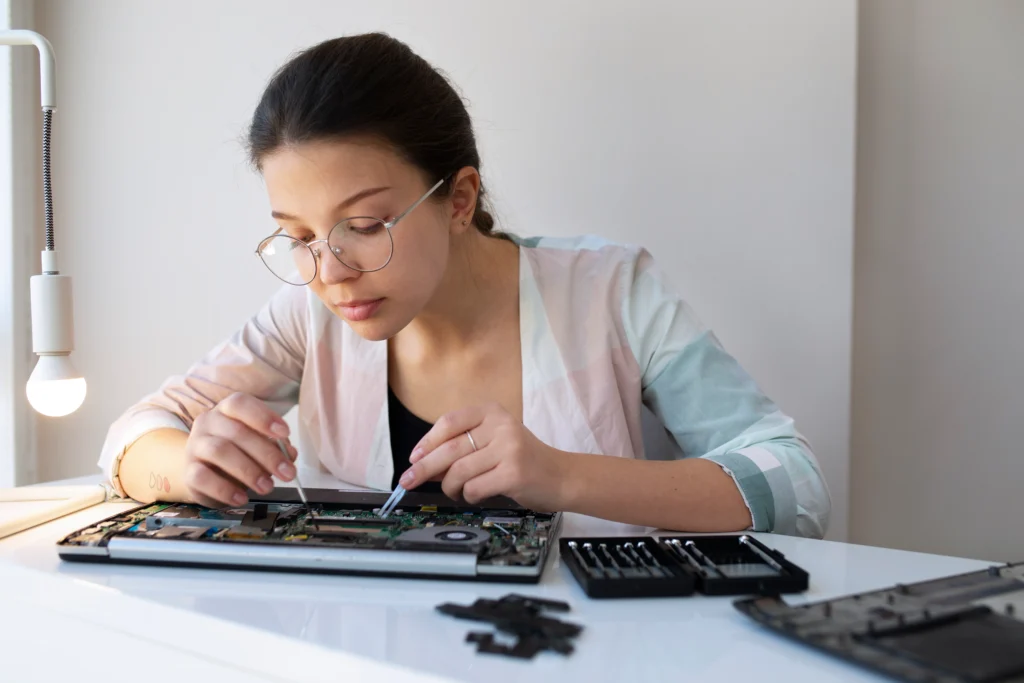
The laptop is carefully opened to access internal hardware, including the motherboard, keyboard, and connectors.
Ultrasonic Cleaning
Ultrasonic cleaning removes corrosion, residue, and contaminants from the motherboard using high-frequency sound waves and cleaning solutions.
Component-Level Repair
Damaged components such as capacitors, resistors, or IC chips are repaired or replaced.
Reassembly and Testing
After repair, the laptop is reassembled and tested thoroughly for performance, stability, and functionality.
Importance of Ultrasonic Cleaning in Liquid Damage Repair
Ultrasonic cleaning plays a critical role in restoring water-damaged laptops.
It helps:
Remove corrosion hidden under chips
Clean microscopic debris
Restore electrical conductivity
Prevent long-term deterioration
This process is especially useful for Dynabook motherboard corrosion repair service cases where residue is not visible to the naked eye.
Benefits of Mail-In Laptop Repair Service
For users in Las Vegas and nationwide, mail-in repair offers convenience and reliability.
Key Benefits:
No need to visit a physical store
Safe packaging and shipping process
Access to expert technicians
Nationwide availability
Time-saving and efficient
This is especially useful for businesses requiring nationwide Dynabook laptop liquid damage repair without operational delays.
Frequently Asked Questions
Our Mail-In Service is very simple. You pack and ship your Dynabook laptop to us. After receiving it, our technicians inspect the device for liquid spread, clean corrosion, repair damaged components, test the laptop thoroughly, and safely ship it back.
First, turn the laptop off and disconnect the charger immediately. Do not try to turn it back on. Let it dry externally and then use our Dynabook Laptop Liquid Damage Repair Mail-In Service, where professionals will clean internal components and prevent long-term damage caused by corrosion.
Yes, in most cases, our Mail-In Service can fully repair liquid damage by cleaning the motherboard, replacing faulty chips, repairing circuits, and restoring all functions. However, if any part is severely burned, replacement may be required, and we will notify you.
Absolutely. Our Mail-In Service is secure and reliable. Your laptop is handled professionally from the moment it arrives. We use protective packaging for return shipping, ensuring your Dynabook laptop is repaired and delivered safely.
Most Dynabook Laptop Liquid Damage Repair Mail-In Service jobs take 2–4 days after the laptop is received. The exact time depends on the level of liquid penetration, corrosion, and component damage, but we complete repairs as quickly and safely as possible.