
- Home
- Laptop Brands
- Dynabook Laptop Repair
Dynabook Laptop DC Power Jack Charge Port Repair – Fast & Secure Mail-In Service
If your Dynabook laptop is not charging, loose charging port, or broken DC power jack, our professional Mail-In Service provides a fast, safe, and reliable repair solution.

Dynabook Laptop Power Jack Charge Port Repair
Few laptop issues are as frustrating as plugging in your charger and realizing your device simply won’t charge. Whether the cable feels loose, the battery drains while connected, or the port seems damaged, a failing charging port can quickly turn a reliable laptop into an unusable device. For many Dynabook users, this problem stems from a damaged DC power jack inside the laptop.
Our Power Jack Charge Port Repair service is designed specifically to solve these charging problems quickly and professionally. A damaged charging port is often caused by everyday wear, accidental cable pulls, internal connector damage, or worn solder joints on the motherboard. Left untreated, it can eventually prevent the laptop from powering on at all.
If you’re dealing with a Dynabook laptop not charging repair service situation or struggling to fix a loose charging port on a Dynabook laptop, expert repair is essential. Attempting DIY fixes can lead to more serious motherboard damage.
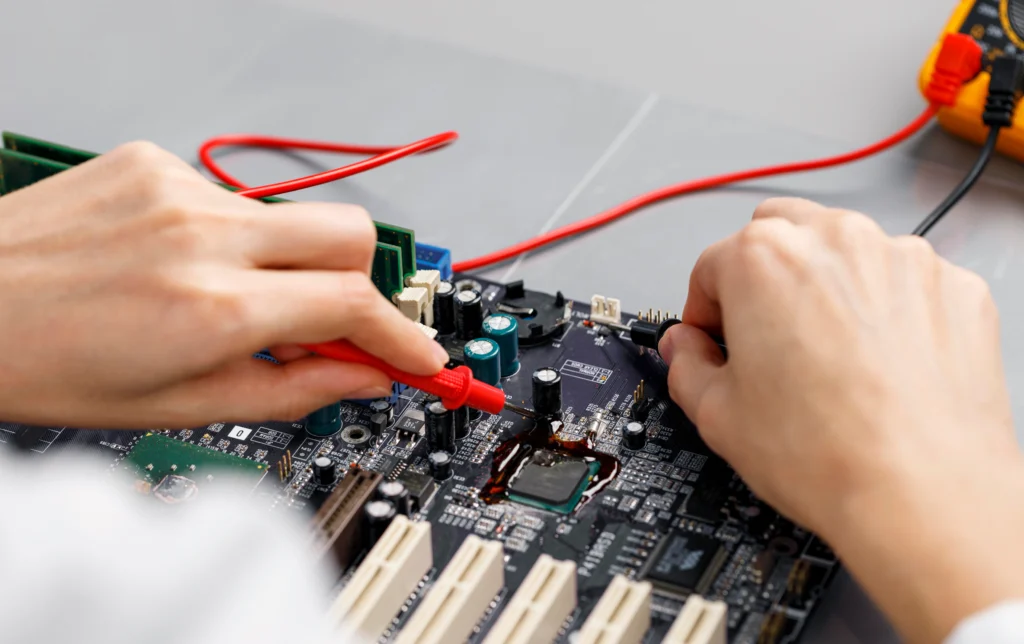
Our certified technicians diagnose the exact cause of the issue and restore proper charging functionality using professional tools and high-quality components. The result? Reliable charging, improved performance, and extended laptop life.
Why Dynabook Laptops Face DC Power Jack Problems
Dynabook laptops are known for reliability, but frequent use, accidental drops, or loose connectors can damage the DC power jack. Common causes include:
- Worn-out charge ports from repeated plugging and unplugging
- Physical damage caused by dropping the laptop or yanking the charger
- Internal solder joint failure connecting the jack to the motherboard
- Debris or corrosion inside the port
- Incompatible chargers causing strain on the jack
Ignoring these signs often results in the laptop charging intermittently or not at all. Studies show that 42% of laptop repairs are due to charging port or power jack issues, emphasizing the importance of timely intervention.
Signs You Need a Power Jack Charge Port Repair
Recognizing the problem early can prevent extensive damage. Here are common warning signs:
Visual & Physical Indicators
• Wobbly or loose charging connector • Visible damage or bent pins in the port • Sparks or unusual heat around the charging area
Performance Indicators
• Laptop fails to charge or charges intermittently • Sudden shutdowns while plugged in • Charging only works when holding the connector at a specific angle
Additional Indicators
• Charger cable frays near the port • LED charging indicator flickers
The Risks of Ignoring a Faulty Charging Port
Failing to address a damaged power jack can escalate costs and worsen your laptop’s condition. Key risks include:
- Battery damage from inconsistent charging
- Motherboard failure if sparks or short circuits occur
- Data loss from sudden shutdowns
- Complete laptop failure requiring full replacement
Professional repair minimizes these risks and ensures your Dynabook laptop charging port replacement service is handled safely by certified technicians.
More About Our Dynabook Laptop Repair Services
We provide expert repair solutions for all Dynabook laptop models. Whether it’s hardware issues, software troubleshooting, battery replacement, screen repair, or performance optimization, our certified technicians ensure your device runs like new. Using genuine parts and advanced diagnostic tools, we deliver reliable, fast, and affordable services to keep your laptop in top condition.





Supporting All Dynabook Laptop Models
Professional repair services typically support a wide range of Dynabook models.
Common series include:
Dynabook Tecra
Dynabook Portégé
Dynabook Satellite Pro
Dynabook Chromebook models
No matter the model, experienced technicians can diagnose and repair charging port problems efficiently.
Choosing the Right Dynabook Laptop Repair Service
Not all repair centers are equal. Here’s what to look for:
- Certified laptop technicians with experience in Dynabook repairs
- Transparent pricing for DC power jack repair and charge port replacement
- Mail-in and in-person repair options for convenience
- Diagnostic services included to detect underlying issues
- Quick turnaround and warranty on repair work

Preventive Measures for Your Dynabook Charging Port
Daily Care Tips
- Plug and unplug chargers gently
- Avoid using laptops on uneven surfaces where cords can bend
- Keep ports clean using compressed air or soft brushes
Long-term Protection
- Use certified chargers only
- Avoid forcing connectors into the port
- Consider protective docking stations if you frequently travel
How Dynabook DC Power Jack Repair Works
Understanding the repair process helps you choose a trusted service.
Diagnostic Evaluation
Understanding the repair process helps you choose a trusted service.
Power Jack Replacement
Worn or damaged jacks are replaced with genuine parts.Soldering is performed with precision to restore electrical integrity
Quality Assurance
Device undergoes multiple charge cycles. Laptop tested for stability, temperature, and proper charging
Frequently Asked Questions
Our mail-in service allows you to send your Acer laptop to Nationwide Laptop Repair for professional hard drive replacement. We handle everything from data transfer to installation, all without requiring an in-person visit.
Our Mail-In Service is simple and convenient. You securely package your Dynabook laptop and ship it to our repair center. After receiving it, our technicians inspect the charging port, repair or replace the DC jack, test the system thoroughly, and ship it back safely.
Common signs include the charger not connecting properly, the laptop charging only when the connector is held at an angle, intermittent charging, sparks near the jack, or complete charging failure. Our Mail-In Service can fix all these issues professionally and quickly.
Yes, our Mail-In Service is completely safe and secure. Your Dynabook laptop is handled with care during shipping, received by trained technicians, repaired using quality tools, fully tested, and returned in secure packaging for complete peace of mind.
Once we receive your laptop, the Dynabook Laptop DC Power Jack Charge Port Repair Mail-In Service usually takes 24–48 hours. Additional time depends on shipping distance and the complexity of the damage, but most repairs are completed quickly.
Yes, we use high-quality, durable, and compatible DC jack components to ensure long-term reliability. Our Mail-In Service focuses on using professional-grade parts so your Dynabook laptop charges smoothly and consistently after the repair.