
- Home
- Laptop Brands
- Dynabook Laptop Repair
Dynabook Laptop Battery Replacement – Fast & Reliable Mail-In Service
If your Dynabook laptop battery drains quickly, overheats, or no longer holds charge, our expert Mail-In Service provides a safe, fast, and dependable battery replacement solution.

Is your Dynabook laptop constantly running out of power, shutting down unexpectedly, or heating up faster than usual? You’re not alone. Millions of laptop users face battery issues that affect productivity and can even damage internal components. A drained or faulty battery is more than just an inconvenience – it’s a barrier to getting work done efficiently.
If you’ve been wondering how to replace a Dynabook laptop battery safely without risking your device, you’ve come to the right place. Our Dynabook laptop battery repair service in Las Vegas combines professional expertise, certified technicians, and advanced diagnostic tools to ensure your laptop performs like new.
We offer fast, reliable solutions – whether you prefer a mail-in service or an on-site replacement. Each battery undergoes thorough calibration and performance testing, guaranteeing compatibility with your laptop’s specifications. No more sudden shutdowns, overheating, or rapid battery drains.
By choosing our professional service, you not only extend the lifespan of your laptop but also restore its peak performance. In this guide, we’ll explore everything you need to know about Dynabook laptop Power pack replacement – from diagnosing issues to safe replacement procedures, maintenance tips, and choosing compatible batteries. Let’s get your Dynabook powered up and back to full speed today.
Why Dynabook Laptop Batteries Fail
Understanding why your Dynabook battery drains quickly is crucial before replacement. Laptop batteries face wear and tear, but certain factors accelerate failure.
Common Causes of Battery Failure
- Age of Battery: Lithium-ion batteries lose capacity over time, typically after 2–3 years.
- Overheating: Excessive heat from heavy usage or blocked ventilation can reduce battery efficiency.
- Frequent Full Discharges: Letting the battery drop to 0% repeatedly stresses the cells.
- Software Issues: Faulty firmware or power management settings may lead to false battery readings.
- Poor Charging Practices: Using non-certified chargers or cables can damage the battery over time.

Dynabook Battery Replacement vs. DIY Solutions
While DIY battery Best replacement might seem cheaper, it carries risks:
Incorrect Installation – May damage internal components.
Safety Risks – Faulty batteries can overheat or leak.
Warranty Void – Unauthorized replacements may void manufacturer warranty.
Choosing our professional Dynabook battery and power jack replacement service guarantees safety, proper calibration, and optimized performance.
Signs You Need a Dynabook Batteries Replacement
Professional tune-ups go beyond simple software updates. Here’s what a comprehensive service covers:
Rapid Battery Drain
Losing charge in minutes instead of hours.
Overheating
Battery becomes hot even during light tasks.
Unexpected Shutdowns
Laptop powers off without warning.
Slow Charging
Battery takes unusually long to reach full charge.
Battery Not Detected
System shows “plugged in, not charging.”
Why Your Dynabook Laptop Battery May Need Replacement
Your Dynabook laptop battery is designed to last, but over time, it can develop issues such as:
Rapid battery drain
Overheating during light use
Unexpected shutdowns
Slow charging or failure to charge
Reduced overall performance
Ignoring these signs can lead to hardware damage, data loss, and interrupted workflow. Our Dynabook battery diagnostic service identifies these problems early and provides solutions tailored to your laptop model.
Benefits of Professional Replacement
Replacing your battery with a certified service offers advantages you can’t achieve with DIY solutions.
Safety First
Avoid risks of battery leaks, short circuits, or fire hazards.
Expert Diagnostics
Identify underlying issues beyond just battery wear.
Calibration & Testing
Ensures new battery performs at optimal efficiency.
Warranty Protection
Keep your laptop’s warranty intact with certified replacement.
Time Savings
Fast service prevents prolonged downtime
Maintenance Tips for Long-Lasting Battery Life
Keep your Dynabook battery healthy to delay replacements.
- Charge between 20–80% regularly
- Avoid full discharges or overcharging overnight
- Keep laptop cool and ventilated
- Use original chargers and cables
- Update firmware and power management software
Following these simple steps improves performance, reduces overheating, and extends battery lifespan.
More About Our Dynabook Laptop Repair Services
We provide expert repair solutions for all Dynabook laptop models. Whether it’s hardware issues, software troubleshooting, battery repair, screen repair, or performance optimization, our certified technicians ensure your device runs like new. Using genuine parts and advanced diagnostic tools, we deliver reliable, fast, and affordable services to keep your laptop in top condition.





Choosing the Right Dynabook Battery
Selecting a compatible battery is key to performance.
What to Look For
- Voltage and watt-hour matching original specifications
- Certified Dynabook replacement battery
- Proper connector type
- Safety certifications (UL, CE)
- Warranty and manufacturer support
Mail-In Battery Repair Service
For busy professionals and businesses in Las Vegas, our mail-in service is convenient and secure.
- Pack your laptop safely using provided guidelines
- Ship via insured delivery service
- Technicians perform diagnostics, replacement, and calibration
- Laptop returned fully tested and ready to use
Mail-in service offers the same quality and guarantees as in-store service, making it perfect for remote clients.
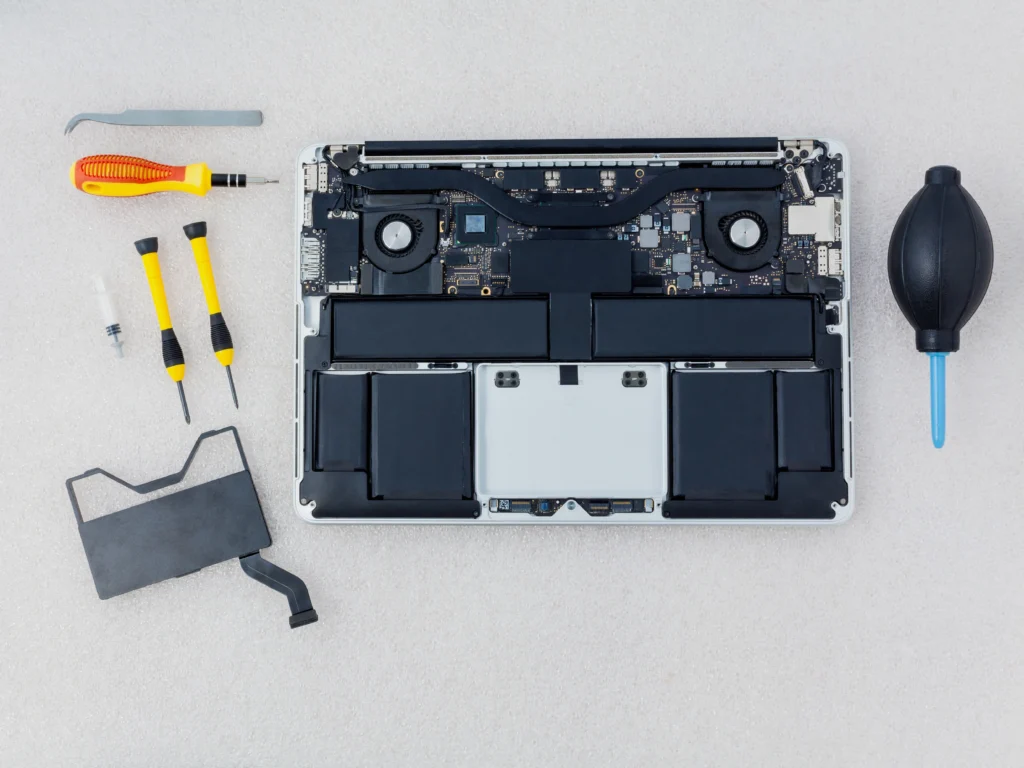
Dynabook Battery Replacement Process
Our technicians follow a step-by-step procedure to guarantee safe and effective battery optimization.
Step-by-Step Guide:
- Initial Diagnostics: Battery performance testing identifies degradation levels.
- Safety Check: Verify internal circuitry and external conditions.
- Battery Removal: Carefully remove the old battery to prevent damage.
- Installation of New Battery: Insert a compatible, high-quality Dynabook battery.
- Calibration: Run software-based calibration to optimize charge cycles.
- Performance Testing: Conduct full charge-discharge cycles and monitor stability.
- Final Quality Check: Confirm voltage, temperature, and capacity align with manufacturer standards.
Frequently Asked Questions
Our Mail-In Service is simple and convenient. You pack your Dynabook laptop and send it to our repair facility. Once received, technicians inspect the battery, replace it with a high-quality one, run performance tests, and ship the laptop back to you securely.
Common signs include fast draining battery, overheating, swollen battery, slow charging, inconsistent power levels, or sudden shutdowns. If you experience any of these issues, our Dynabook Laptop Battery Replacement Mail-In Service can professionally replace your battery and restore system performance.
Yes, our Mail-In Service is completely safe. Your Dynabook laptop is handled with secure packaging, received by trained technicians, repaired with high-quality tools, thoroughly tested, and shipped back in protective packaging to ensure full safety throughout the process.
Most Dynabook Laptop Battery Replacement Mail-In Service jobs are completed within 24–48 hours after receiving the laptop. Shipping time varies by location, but the repair itself is fast, efficient, and professionally completed.
Yes, we use high-quality, reliable, and compatible batteries that match original Dynabook specifications. Our Mail-In Service ensures your new battery offers excellent backup time, improved performance, and long-term durability just like the original.
Most lithium-ion batteries last 2–3 years. Frequent overheating, rapid drains, or calibration errors indicate earlier replacement. Professional Dynabook battery diagnostic service helps determine the right time.
DIY replacements risk damage, void warranty, and may not include calibration. Certified technicians ensure safety and peak performance.
Yes. Calibration ensures accurate charge reporting, optimal battery performance, and extended lifespan.