If your laptop died overnight and won’t turn on at all, or the screen is just cracked, then you review “laptop repair near me” on Google, but get confused because of many questionable pricing places and no clear idea of who’s actually working on your device.
Mail-in laptop repair becomes a smarter choice, and a real option worth considering for many people across the USA. This is exactly what Nationwide Laptop Repair does.
This blog will walk you through everything. What repairs actually cost? How the process works, how the device works without risking more damage, and how to guide you to a trustworthy repair service that leaves you waiting months with no response.
Nationwidelaptoprepair mail-in repair will help you make a confident decision either way by providing secure repairs for laptops, MacBooks, iPads, iPhones, and computers for customers across the US, but before you ship anything, read this blog.
What Is Mail-In Laptop Repair?
Mail-in repair is exactly what it sounds like. You don’t have to indulge yourself in walking into a store; you ship your device to a professional repair center, they check it, fix it, and send it back to you.
For those who are in rural areas, a small town, or a city where the local options just aren’t trustworthy, it makes a lot of sense; it’s not a new concept, but it has become more practical as repair companies have improved their shipping processes and communication.
It’s exactly useful if you..
- Need your device fixed right the first time.
- Have already been far away from local shops.
- Want a proper diagnosis, not an opinion.
- Own a MacBook or high-end gaming laptop that needs specialized knowledge.
- Don’t have a reliable repair shop nearby.
Start a mail-in repair request→
How Does Mail-In Laptop Repair Work?
Here is the actual step-by-step process for you so that you will get no more surprises.
Step 1: Send a repair request
You fill out a short form with your device type, model, brand, and problem you are facing, and your contact details. Photos of the damage (a cracked screen, a burn mark near the port, a broken hinge) are helpful if you can include them. If you give more details up front, the faster the diagnosis process goes.
Step 2: Get shipping instructions
You will get clear instructions on how to pack and ship your device, and when your request will be received. A good repair service will tell you exactly how to wrap it, what to leave out, what to include, and what shipping method to use. The user must follow these instructions; otherwise, improper packing is one of the most common causes of additional damage during transit.
Step 3: The repair centre diagnoses your laptop
A technician inspects the device when it arrives. This means actually opening it up, testing components, and confirming the root cause, not just taking your word for it. A straightforward problem is a cracked screen. A laptop that won’t turn on could be a dead battery, a failed motherboard, a blown fuse on the charging circuit, or water damage. Diagnosis matters.
Step 4: You receive a repair quote
This step is critical, and it separates the best repair services from bad ones. You will get no charges if you didn’t approve your repair work. A trustworthy company will contact you with the confirmed issues, the repair cost, and expected turnaround time before touching anything. You say yes or no. It really is that simple.
Step 5: The repair is completed
Once you approve, the technician gets to work, and repairs, mostly handled through mail-inrepair services, include:
- Charging port repair (lost port, no charging, bent pins).
- Screen replacement (cracked, flickering, lines, black screen).
- Keyboard repair (stuck or missing keys, liquid damage).
- Hinge repair (won’t stay open, broken lid).
- Overheating and fan issues.
- Water or liquid damage cleaning and recovery.
- Motherboard repair (component-level diagnosis and soldering).
- Battery replacement (fast drain, won’t charge, swollen battery).
- Software repair and virus removal.
Step 6: Testing and return shipping
When you get your laptop back after it ships, it should pass through a proper test that includes powering on, keyboard function, charging, screen check, and software check. Ask first about the testing process before you ship, like you don’t want it to arrive home “fixed”, only to find out the charging port still doesn’t work.
Is Mail-In Laptop Repair Safe?
This question is asked by many people, and it’s worth a billion. Yes, it can be very safe, but it depends on who you choose and how your laptop gets shipped.
Shipping Safety
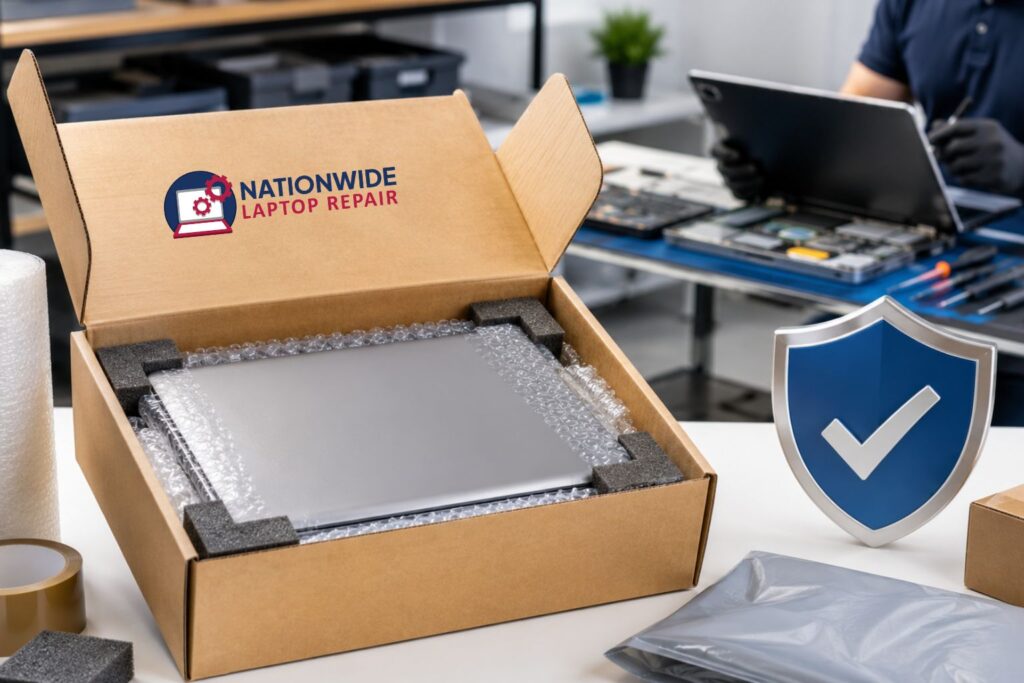
Shipping is a bigger risk than repairing. A laptop that slides around inside can arrive with a newly cracked screen on top of the original problem if the box is lost during the three-day transit. Here’s how to make it safe:
- Consider insurance for any laptop worth more than $400 and use a tracked shipping method.
- Notice its condition and take photos of the laptop before you seal it.
- There shouldn’t be any movement when you shake the box.
- The laptop must be wrapped in a two-inch bubble wrapper or foam on all sides.
- Use a strong-walled cardboard box.
Data Safety
A fair concern is data safety. Your laptop contains emails, work files, financial documents, passwords, photos, etc. Here’s what to do before you ship:
- Ask the company directly. “How is customer data handled here?” A good, reputable company will always have a clear answer.
- The actual password should not be shared until it’s necessary.
- All important files and sensitive data should be removed when anyone is to access them.
- Sign out of your accounts if possible (iCloud, Google, Microsoft).
- Back up all of your data; an external device or cloud backup takes 30 minutes and removes all risks.
What Makes A Repair Company Trustworthy?
Before you ship, check for these things if your laptop costs $1200:
- A phone number or contact form that actually works.
- Clear explanation of the repair process.
- “No exceptions” quote before repair.
- A guarantee or warranty on repair work.
- Customer reviews on Google or any other platform.
- Communication and tracking during the repair.
- An actual website with real service pages will always have a clear explanation of the repair process.
What Laptop Problems Can Be Replaced By Mail?
A laptop that only charges at a specific angle, or one that won’t charge at all, or a charging port that is not working; these often come down to a damaged port, a dying battery, or a faulty adapter.
Laptop Doesn’t Turn On
This problem scares people, but it is not always so sophisticated. It could be a power jack issue, a dead battery, or a software problem rather than a failed motherboard. Proper diagnosis is key.
Broken Keyboard
A keyboard that registers the wrong characters, has missing key caps, or has a coffee spill. These are all repairable in most cases.
Battery Draining Fast
The battery is likely worn out if the laptop drops from 80% to 10% in an hour. This problem is most straightforward and affordable with a battery replacement.
Overheating Or Loud Fan Noise
The laptop seems to be heading towards a bigger problem if it runs hot. A failing fan can cause dust buildup, dried-out thermal paste, and all can be addressed without replacing the whole machine.
Hinge or Body Damage
A cracked hinge, a lid that won’t stay open, or a broken screen frame are frustrating but usually fixable. This matters especially for MacBooks and premium Windows Laptops.
Water Or Liquid Damage
Corrosion spreads, and the wet board sits unaddressed. Mail-in services can clean all the boards, replace the corroded area, and usually save a device that looks like a total loss.
Viruses and Software Problems
Malware, ransomware, startup loops, and corrupted Windows installations that don’t require hardware replacement. If a technician needs physical access, then software repair and virus removal can often be done remotely.
How Long Does Mail-In Laptop Repair Take?
Here’s what affects the timeline:
- Diagnosis time.
- Shipping time.
- Parts availability.
- Repair complexity.
- Return shipping.
When the parts are in stock, like screen, battery, keyboard, and charging port repairs, it’s faster, but damages like motherboard repair, water damage recovery, and data recovery usually take longer, depending on what’s found during diagnosis and what needs to be fixed.
Submit your repair details for a fast quote→
Who Should Use Mail-In Laptop Repair?
Mail-in repair is a particularly good fit for:
- Students without any source of private transport or a good repair shop near their campus.
- Remote workers who completely depend on their laptops and e-devices and need reliable professional repair service.
- Small business owners who use specialized laptops and can’t afford spottage for an inexperienced local tech.
- MacBook users who want Apple-level expertise but from professionals and at affordable prices.
- Anyone who had a really bad experience with a local tech and wants their laptop to be treated by professionals.
- Gamers with high-end gaming laptops that can’t be fixed by local tech.
Is Mail-In Laptop Repair Worth It?
For the laptop’s life and better fixation, definitely yes!
If your laptop is quite old but still meets your requirements, it’s actually better to get it fixed rather than completely replace it with a new device. Mail-in repair always provides you with a professional diagnosis and high-quality technicians and parts for your laptop if you can’t find a trustworthy local option.
The key is choosing the right company that provides high-quality services, communicates clearly, provides a quote before they repair, and always stands behind their work.
FREQUENTLY ASKED QUESTIONS
Is mail-in laptop repair safe?
Yes, it is absolutely safe, but users are advised to choose a verified repair service and take measures that include proper packaging of their device, use tracked shipping methods, and always back up their data beforehand. The risk is there, but it is manageable with professional management and the right preparations.
How much does mail-in laptop repair cost?
The repair costs depend on the severity of damage, type and model of laptop, and availability of parts and techs, since different kinds of damage repairs carry different price ranges.
How do I ship my laptop for repair?
Back up your data and completely shut down your laptop, then carefully pack your laptop in bubble wrap, and make sure to pack it in a sturdy box to prevent movement. Provide your contact information inside and use tracking shipping. For valuable devices, insurance is recommended in case of any unwanted accidents.
Should I repair or replace my laptop?
If your laptop repair costs less than 40-45% of the comparable replacement and your laptop still meets your needs, repairing your laptop would be a better option. But if the device is very old and doesn’t meet your requirements, replacing your laptop will be a better option.
Can a MacBook be repaired by mail?
Yes, multiple MacBook Air and MacBook Pro devices are sent in for battery replacement, technical issues, water spillage, keyboard failure, and motherboard work.
Should I remove my data before sending my laptop?
You should back up your data and remove sensitive content before shipping. If the technician requires your password for diagnosis, ask about how the information will be used, and rather than sharing your main password, create a temporary account.
How long does mail-in laptop repair take?
Simple repairs are faster, but water damage, data recovery, and motherboard work usually take longer. Diagnosis usually takes 1-2 days, and shipping takes 1-3 days each way. Part availability is usually the biggest uncertain element.
Ready to Mail Your Laptop for Repair?
Now you know how mail-in laptop repair works and how to safely ship your device. Every repair at Nationwide Laptop Repair includes free diagnostics, a detailed quote before any work begins, tracked return shipping, and a 90-day warranty. The only thing left to do is send your laptop.
💡 Have questions first? Call us: 702-955-8585
We accept mail-in repairs from all 50 US states, including Texas, California, Florida, New York, Illinois, Georgia, Arizona, Pennsylvania, Ohio, and beyond. Fast, secure, and trusted nationwide.