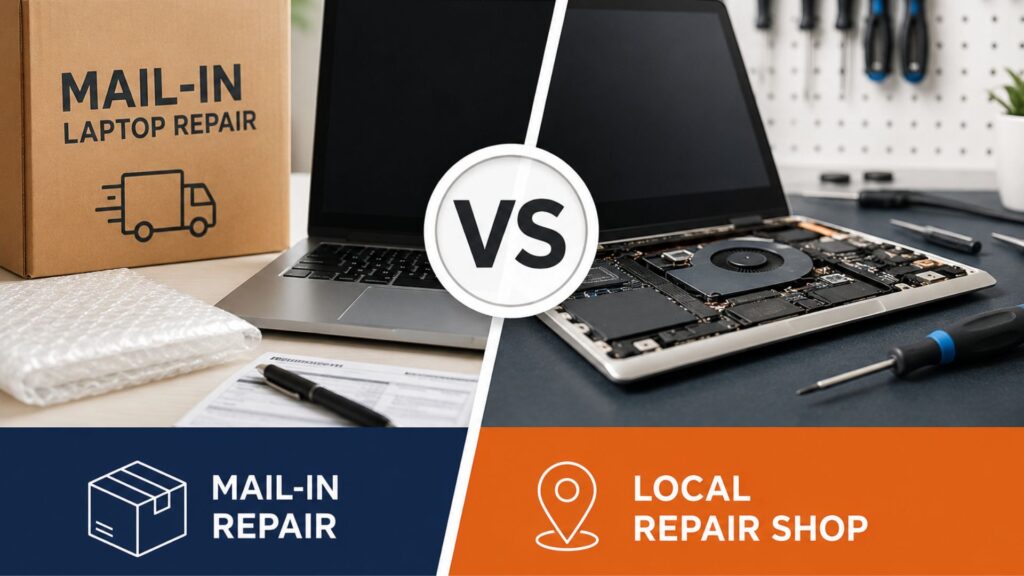
Your laptop just died. Maybe the screen cracked, the keyboard stopped responding, or it simply won’t turn on. Now you’re facing a second problem: how do you actually get it fixed?
You’ve got two real options: drop it off at a local repair shop or ship it to a mail-in service. Both can work. Both can also go sideways if you pick the wrong one for your situation. The difference between a smart choice and a frustrating one usually comes down to three things: what’s broken, how fast you need it back, and where you live.
This guide cuts through the vague “it depends” advice and gives you a straight comparison between mail-in and local repair, backed by real data, so you can pick the right option with confidence
What Type of Laptop Repair Do You Actually Need? Mail vs Local
Before comparing services, it helps to know what you’re actually dealing with, because the type of repair matters more than most people realize.
Screen and battery problems are among the most common reasons customers seek laptop repair. Because these repairs are relatively standardized, many qualified local and mail-in providers can handle them, subject to model and parts availability.
Here’s a quick breakdown by repair type:
Repair type | Often requires |
Liquid damage | A technician experienced in corrosion and board-level diagnosis |
Battery replacement | Correct model-specific parts and safe battery handling |
Motherboard or GPU fault | Board-level diagnostic and microsoldering capability |
Data recovery | A provider experienced with the specific drive failure |
Hinge repair | Chassis inspection and model-specific replacement parts |
If your laptop has a common fault and you’re in a city or town with a decent repair shop nearby, local is almost always the faster, simpler path. If you’re dealing with a complex or rare fault, or you live somewhere that doesn’t have qualified technicians, mail-in makes a lot more sense.
Local vs. Mail-In Repair: What It Really Costs You
Comparing prices between mail-in and local repair seems simple until you look at what each quote actually includes.
Pricing varies considerably by location, device model, labor rate, shipping cost and the parts used. Compare the complete written estimate rather than relying only on the advertised starting price.
But at Nationwide Laptop Repair, we offer free diagnostics and return shipping across all 50 states, backed by more than 14 years in business and over 35 years of combined technician experience.
Data Privacy: What to Do Before You Hand Over Your Laptop
This is the step most people skip, and the one most likely to come back and create problems later.
Data privacy is a legitimate concern whenever a computer is handed to a third-party repair provider. That’s not just a mail-in problem; it applies to local shops, too. Any time your laptop leaves your hands, your data goes with it.
Before you hand over your laptop to anyone, do these four things:
- Back Up Everything
Use Time Machine (Mac), Windows Backup, or a cloud service. Do this before you drop it off or pack it up, not after.
- Create a Guest or Limited Account
Ask whether login access is necessary. For some hardware repairs, it may not be required, while other repairs need limited operating-system access for diagnosis or final testing.
- Encrypt sensitive folders.
BitLocker (Windows) and FileVault (Mac) are built-in and free. If you can’t encrypt, move sensitive files to an external drive temporarily.
- Ask about data handling — in writing.
A reputable service will tell you exactly what they access and why. Vague answers are a red flag.
At Nationwide Laptop Repair, technicians follow a documented data-privacy protocol; only system-level access is required for diagnosis and repair. The device is photographed on arrival to document its pre-existing condition, and customers receive a written repair summary. That level of accountability should be the baseline, not the exception.
How to Evaluate a Local Shop vs. a Mail-In Service
This is where most people make costly mistakes. They choose based on price or convenience alone, without asking the questions that actually predict a good outcome.
Green Flags: What a Trustworthy Repair Service Looks Like
- Provides a written estimate before starting any work
- Has a no-fix, no-fee policy (if they can’t fix it, you don’t pay)
- All completed repair jobs include our service guarantee and warranty.
- Has verifiable reviews on Google, Trustpilot, or the BBB
- Photographs your device on arrival (mail-in) or in front of you (local)
- Contact you before performing work beyond the agreed scope
Red Flags: Walk Away If You See These
- No written estimate, just a verbal ballpark
- Unwilling to confirm their warranty policy in writing
- No traceable business address or contact number
- Pressure to approve work immediately without time to consider
- No mention of what happens if the repair causes additional damage
Five questions to ask any repair service before committing:
- Do you offer a written estimate before starting?
2. What is your warranty on parts and labor, and what does it cover?
3. Do you have a no-fix-no-fee policy?
4. How do you handle data privacy during repair?
5. What happens if my device is damaged during the repair process?
If any service struggles to answer these clearly, that tells you everything you need to know.
Warranty and Accountability After the Repair
Here’s something that most laptop repair services completely skip: what happens after the repair is done?
Warranty policies vary considerably between repair providers. Ask for the coverage period, covered parts and labor, exclusions and claim process in writing before approving the repair.
Reputable mail-in services tend to do better here. All completed repair jobs include our service guarantee and warranty. Replacement parts include a one-year warranty, subject to the written warranty terms and exclusions. Nationwide Laptop Repair guarantees all repairs with a warranty. Replacement parts include a one-year warranty, subject to the written warranty terms and exclusions.
What good post-repair accountability looks like:
- Written warranty with clear terms (what’s covered, what voids it)
- Device condition documented on intake, so there’s no dispute about pre-existing damage
- A clear escalation process if you’re unhappy with the repair
- Transparent policy for what happens if the repair causes additional damage
If a local shop damages your screen during a keyboard repair and refuses responsibility, your options are limited without documentation. Mail-in services that photographs devices on arrival have a much cleaner accountability trail. For local shops, ask if they document device condition before they open it.
As a last resort, repairs gone wrong can be escalated to your state’s consumer protection office or small claims court, but having that written warranty makes any dispute dramatically easier to resolve.
Which Should You Choose? A Simple Decision Guide
Here’s the honest answer, laid out plainly:
Choose mail-in laptop repair if:
- You live outside a major city or more than 30 miles from a qualified specialist
- Your fault is complex: motherboard, GPU, liquid damage, or data recovery
- You have a backup device and can tolerate a 5–10-day turnaround
- Cost is the primary concern, and you’ve factored in shipping
- You want consistent, documented accountability with a national provider
Choose a local repair shop if:
- You need it back today or within 48 hours
- The repair is common: screen, battery, keyboard, and charging port
- You want to watch the repair happen or speak to the technician directly
- You’ve had previous work done and need follow-up on the same issue
- You’re not comfortable shipping a device containing sensitive data
Still unsure?
If you can describe the fault but don’t know what it’ll take to fix it, start with a remote diagnosis. At Nationwide Laptop Repair, we’ll assess your issue for free and tell you whether it’s something a local shop can handle or whether it needs specialist attention before you commit to anything.
Why Nationwide Laptop Repair Bridges the Gap
Most of the mail-in vs local debate assumes you’re choosing between a faceless shipping service and your neighborhood tech shop. Nationwide Laptop Repair is built differently.
Certified technicians with documented expertise handle every repair. Every device is photographed on arrival. All completed repair jobs include our service guarantee and warranty.
For freelancers, startups, and small business owners who can’t afford a 10-day guessing game, that combination of speed, accountability, and specialist coverage is what makes mail-in repair genuinely worth it.
Get Your Free Repair Estimate → Not sure what’s wrong? Describe your issue, and we’ll diagnose it remotely; free, no commitment required.
The Bottom Line
The better repair option depends on the device problem, the expertise available locally, the urgency of the repair, the complete cost and your comfort with shipping the device.
A qualified local shop may be the most convenient choice for a common repair when the required part is available and you need the device returned quickly. A reputable mail-in specialist may be better for complex motherboard faults, liquid damage, uncommon models or repairs that require expertise unavailable nearby.
Before choosing either option, request a written estimate, review the warranty and shipping terms, ask how customer data is handled and verify the provider’s repair experience. The quality and transparency of the provider matter more than whether the device is repaired locally or by mail.
Frequently Asked Questions
- Is mail-in laptop repair safe?
Yes, back up your data, set up a guest account, and choose a service with a documented data-privacy policy and insured return shipping. Preparation makes it low risk.
- How long does mail-in laptop repair take?
Typically 5–10 business days, including shipping both ways. Services with prepaid 2-day labels like Nationwide Laptop Repair can bring that down to 5–7 days.
- Can I trust a nationwide laptop repair service?
All completed repair jobs include our service guarantee and warranty. Replacement parts include a one-year warranty, subject to the written warranty terms and exclusions.
- What should I do before shipping my laptop for repair?
Back up your data, create a guest account for the technician, and pack the device securely. Confirm the service includes a prepaid insured shipping label before you send anything.
- What laptop repairs are not worth doing locally?
Motherboard faults, GPU failures, liquid damage, and data recovery require specialist tools that most local shops don’t have. A certified mail-in service handles these far more reliably.
- How do I know if a local repair shop is qualified?
Look for detailed Google reviews, a published warranty policy, and ask whether they specialize in laptops specifically. Vague answers on any of these are a clear red flag.
💡 Ready to Choose the Right Repair Option?
Not sure whether your laptop needs a local repair shop or specialist mail-in service? Tell Nationwide Laptop Repair what is wrong with your device, and our team will review the issue and explain the most suitable next step.