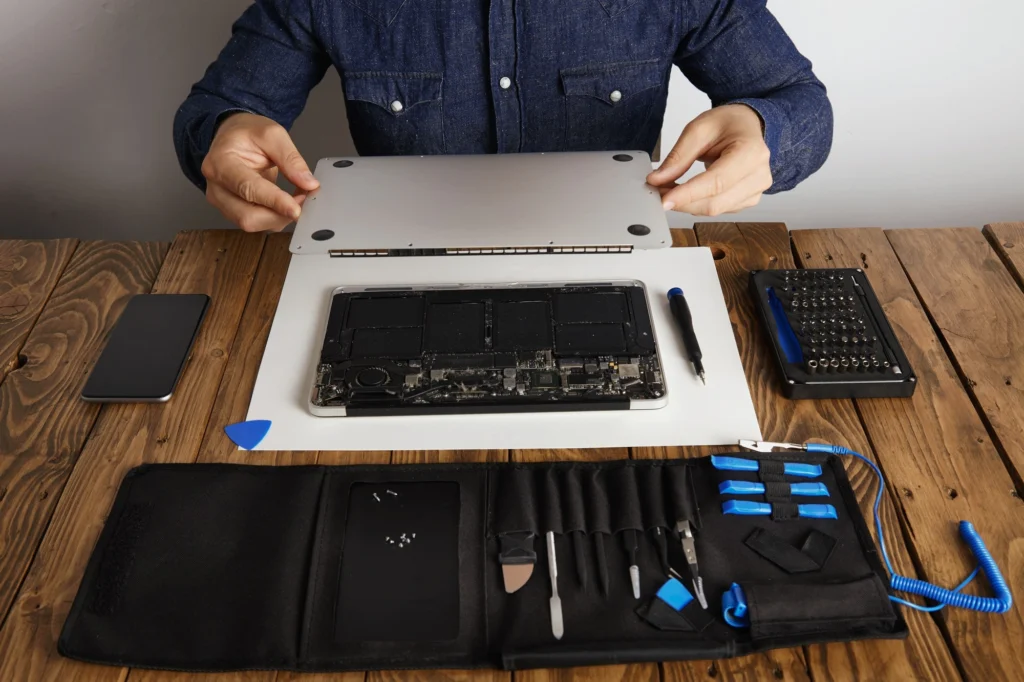
Are your laptop hinges causing you frustration? Imagine this scenario: You open your laptop to check emails or start your work, and the screen stays stuck, or worse, the hinge breaks entirely. Not only is this an inconvenience, but it can also lead to expensive repairs if not addressed promptly.
For many users, laptop hinge damage is one of the most frustrating issues. If you’re in Las Vegas and facing such problems, you’re not alone. The good news is, with a bit of knowledge and guidance, laptop hinge repair is within your reach.
In this guide, we’ll cover everything you need to know about laptop hinge repair. Whether you’re dealing with a broken hinge, a damaged frame, or issues with your chassis, you’ll find actionable solutions and tips to get your laptop back to working condition.
Why Laptop Hinges Break – Common Causes of Damage
What causes laptop hinges to break, and how can you prevent it?
Laptop hinges are one of the most used components on your device, and constant opening and closing take a toll over time. However, other factors can contribute to the damage, such as:
- Physical Abuse: Dropping your laptop or slamming it shut can easily result in a cracked or broken hinge.
- Overuse: Frequent opening and closing of your laptop without proper care can weaken the hinge.
- Lack of Lubrication: Dry hinges can become stiff and eventually snap, leading to costly repairs.
- Poor Manufacturing: Some laptops may come with weaker hinge designs, leading to quicker wear and tear.
How to Diagnose Laptop Hinge Damage
How do you know if your laptop hinge needs repair?
Before diving into the repair process, it’s crucial to determine whether your laptop hinge is indeed damaged. Common signs of hinge damage include:
- Loose or Wobbly Screen: If your screen doesn’t stay in place or feels loose, it could be due to a broken or worn hinge.
- Cracked or Broken Hinges: Visual signs of damage, such as visible cracks in the hinge area or broken parts, indicate that you’ll need a replacement.
- Screen Misalignment: When the screen doesn’t align properly with the keyboard, it’s often a result of hinge misalignment or damage.
- Difficulty Opening or Closing: If your laptop is becoming harder to open or close, this may indicate a problem with the hinges or the frame.
Types of Laptop Hinge and Frame Repairs
What are the common types of hinge repairs?
Not all laptop hinge issues are the same. There are a few different types of repairs that you may need, depending on the severity of the damage:
- Simple Hinge Fix: For minor issues like misalignment or a loose hinge, you may only need to tighten screws or reassemble the hinge.
- Hinge Replacement: If your hinge is completely broken, replacing the hinge is your best option. This involves removing the broken hinge and installing a new one.
- Chassis or Frame Repair: If the laptop’s frame is damaged alongside the hinges, you’ll need to address both issues simultaneously. This may involve using adhesives or even a frame replacement.
- Structural Reinforcement: If your laptop’s frame is severely damaged, you may need to reinforce it with additional parts or materials before repairing the hinge.
Laptop Hinge Repair Step-by-Step Guide
How can you fix your laptop hinge on your own?
Performing a laptop hinge repair requires patience and attention to detail. Follow this step-by-step guide to get started:
Step 1: Gather Your Tools
You’ll need:
- Precision screwdrivers
- Replacement hinges (if necessary)
- Small plastic prying tools
- Tweezers
- Super glue (for minor frame cracks)
- Replacement frame (if necessary)
Step 2: Power Off the Laptop
Ensure that your laptop is powered off and unplugged before beginning the repair.
Step 3: Remove the Battery
If your laptop has a removable battery, take it out to avoid any electrical accidents.
Step 4: Unscrew the Panel
Use your precision screwdriver to remove the screws from the back panel and screen bezel. Be sure to keep track of the screws for easy reassembly.
Step 5: Examine the Hinges
Inspect the hinges carefully. If there are loose screws, tighten them. If the hinge is completely broken, you’ll need to replace it.
Step 6: Remove Broken Hinges
For broken hinges, unscrew them and carefully remove the damaged part. Make sure to keep all screws in place for reassembly.
Step 7: Install New Hinges
Install the new hinges by aligning them with the screw holes and securing them with screws. Ensure they are tightly fitted to prevent future issues.
Step 8: Reassemble the Laptop
Once the hinges are fixed, reassemble the laptop by putting the screen bezel back in place and screwing the back panel.
Step 9: Test the Hinge
Open and close the laptop carefully to make sure the hinge operates smoothly.
When to Seek Professional Help for Laptop Hinge Repair
When should you go to a technician instead of doing it yourself?
While minor hinge repairs can be done at home, certain situations require professional intervention:
- Severe Frame Damage: If the frame or chassis is cracked or broken, it’s best to seek professional help to avoid causing more damage.
- Complex Hinge Mechanisms: Some high-end laptops have complex hinge systems, making it difficult for DIY repairs to be effective.
- Warranty Concerns: If your laptop is under warranty, performing DIY repairs could void it. Always check your warranty terms before attempting repairs.
Tips for Preventing Hinge and Frame Damage
How can you prevent hinge damage in the future?
- Be Gentle with Your Laptop: Avoid slamming the screen shut or using excessive force when opening or closing the laptop.
- Use a Laptop Sleeve: Protect your laptop from physical damage by using a protective sleeve.
- Lubricate the Hinges: Apply a small amount of lubricant to the hinges regularly to prevent them from becoming stiff or dry.
- Use a Laptop Stand: Keeping your laptop at an optimal angle can help reduce stress on the hinges.
Conclusion
Repairing a laptop hinge and frame is an essential skill for many users. By following this guide, you can handle minor repairs on your own, saving time and money. However, don’t hesitate to seek professional help for more severe cases.
Ready to fix your laptop hinge? Whether you’re dealing with a loose screen or a completely broken hinge, this guide provides all the tools and knowledge you need to get your device back to working condition. If you’re unsure about tackling the repair on your own, always consult a professional technician for peace of mind.
FAQ Section:
- How much does it cost to repair a laptop hinge in Las Vegas?
Repair costs can range from $50 to $200, depending on the laptop model and the extent of the damage. It’s best to get a quote from a local repair shop. - Can I fix a laptop hinge myself?
Yes, minor hinge repairs can be done yourself if you have the proper tools and parts. However, severe damage may require professional help. - How do I know if my laptop hinge is completely broken?
If your laptop screen doesn’t stay in place or the hinge is visibly cracked or out of alignment, it’s likely broken. - Can hinge damage affect the laptop’s performance?
While hinge damage doesn’t directly affect the laptop’s performance, it can make it difficult to use the laptop comfortably and can worsen over time. - How long does a hinge repair take?
A typical hinge repair can take anywhere from 1-3 hours, depending on the complexity and whether you are doing it yourself or having a professional handle it. - What should I do if the laptop’s frame is damaged?
If the frame is cracked or broken, you may need to replace the entire frame or reinforce it with adhesives. A professional repair shop can provide a more durable solution. - How can I prevent future hinge damage?
Avoid using excessive force, clean the hinges regularly, and store your laptop in a protective case to prevent damage.