
Samsung Laptop Liquid Damage Repair – Fast Mail-In Service
Professional Samsung Laptop Liquid Damage Repair with our nationwide Mail-In Service. Quick, safe, and expert restoration for water-damaged laptops.

Expert Samsung Laptop Liquid Damage Repair and Restoration
Liquid spills are one of the most common and damaging problems Samsung laptop users face. Whether it’s water, tea, coffee, juice, or any other liquid, even a few drops can affect your motherboard, keyboard, touchpad, battery, and power components.
Our Samsung Laptop Liquid Damage Repair Mail-In Service is designed to restore your device safely and efficiently, using advanced cleaning and component-level repair techniques.
With our nationwide Mail-In Service, you can send your damaged Samsung laptop directly to our repair facility without visiting any store. We handle the entire repair process — from diagnostic, deep cleaning, component repair, and replacement — all while keeping your data safe.
Our expert technicians specialize in Samsung hardware and have years of experience repairing liquid-damaged motherboards, power circuits, keyboards, SSD connectors, and other internal components. We focus on saving your original board instead of replacing it to reduce cost and increase reliability.
Our Mail-In Service ensures fast turnaround, high-quality work, and guaranteed satisfaction. Whether your Samsung laptop won’t turn on, has sticky keys, random shutdowns, or internal corrosion — we can fix it.
What to Do Before Seeking Professional Repair?
The seconds following a spill are the most critical. Your first priority is to remove the power source. Unplug the AC adapter and, if your model allows it, disconnect the battery immediately.
This stops the flow of electricity, which is what causes “shorts” when it meets liquid. Do not attempt to turn the laptop back on to “check if it still works,” as this is often the move that permanently kills the motherboard.
After cutting the power, turn the laptop upside down into a “tent” position. This allows gravity to pull the liquid away from the delicate internal components and back toward the keyboard or vents. Use a lint-free cloth to blot any visible moisture.
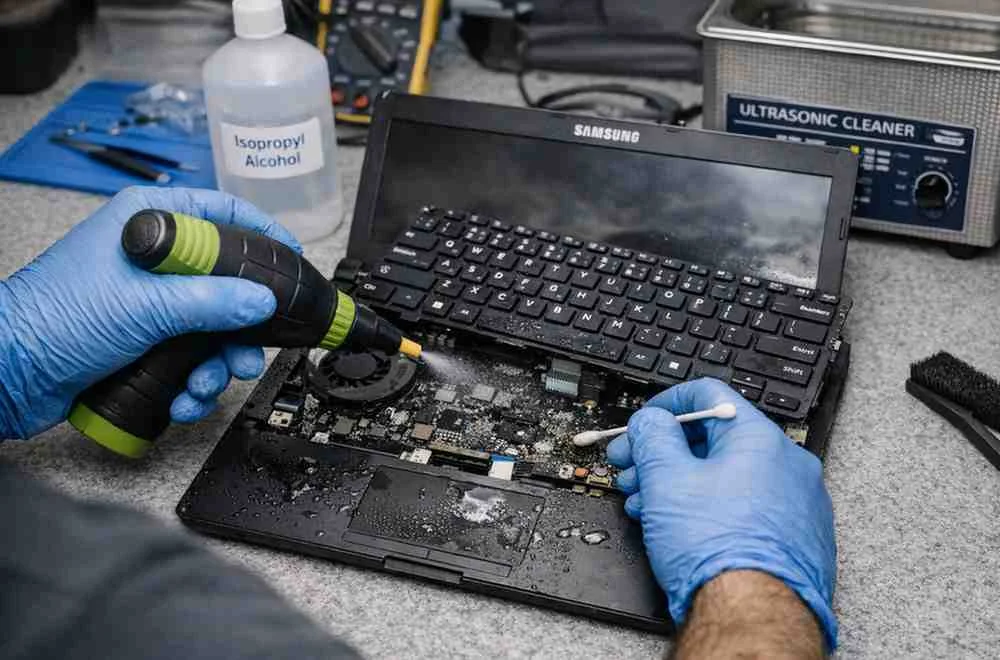
What Happens When Liquid Damages a Samsung Laptop?
Liquid damage can affect your laptop in multiple ways, often more severely than physical damage.
When liquid enters your device, it can:
- Short-circuit electrical components
- Cause corrosion on the motherboard
- Damage the keyboard and trackpad
- Affect the display and internal connections
Common Signs of Liquid Damage
- Sticky or unresponsive keyboard
- Overheating issues
- Laptop not turning on
- Flickering or blank screen
The Professional Repair Process Explained
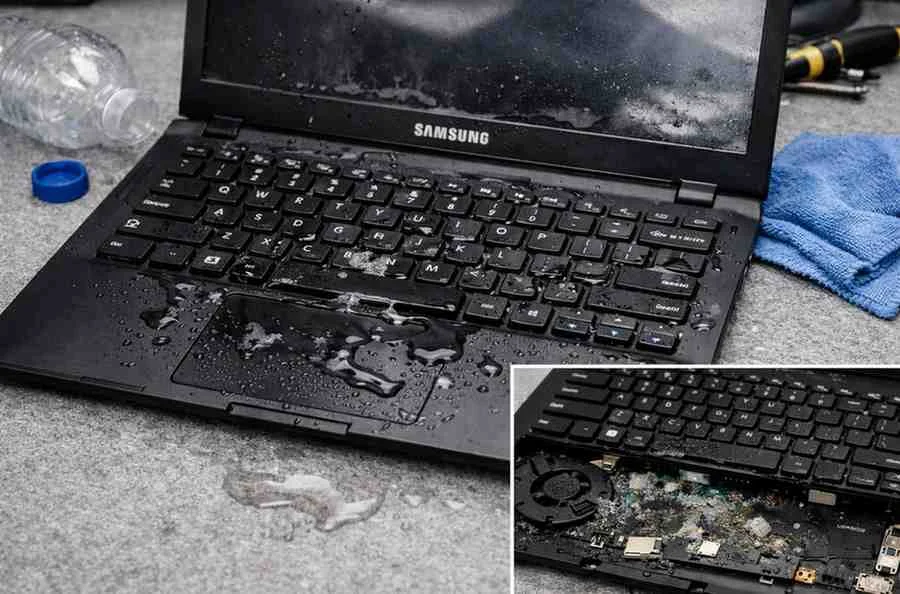
When you bring your device in for Samsung Laptop Liquid Damage Repair, the process is systematic and thorough. It begins with a complete teardown of the chassis. Every component—from the Wi-Fi card to the SSD—is removed and inspected under a microscope for signs of “green” or “white” oxidation.
Steps to explain
Motherboard Sanitization: The board is stripped of its heat sinks and shields, then placed in an ultrasonic bath.
Component Testing: After cleaning, each individual circuit is tested for “shorts to ground” using a multimeter.
Keyboard Replacement: Because laptop keyboards are usually riveted layers of plastic, they are almost impossible to clean internally. A new keyboard is typically installed to prevent sticky keys or “ghost typing.”
Reassembly and Stress Testing: The system is rebuilt with new thermal paste and run through a 24-hour stress test to ensure stability.
Recovery Rates and Data Preservation
The biggest concern for most users during a laptop water damage repair is their personal data. The good news is that Samsung typically uses M.2 NVMe SSDs, which are separate from the motherboard in many models. Even if the laptop itself cannot be saved, the data can usually be “harvested” by placing the drive into an external enclosure.
If your model has an “on-board” SSD (soldered to the board), the recovery becomes more complex. In these cases, the motherboard must be repaired at least partially to allow for data extraction. This highlights why professional intervention is superior to DIY methods; a technician can bypass damaged power rails to power only the data chips for a backup.
How to Prevent Liquid Damage in the Future?
- Keep drinks away from your workspace
- Use a keyboard cover
- Avoid using laptops near water sources
- Store your device in a protective bag
- Clean spills immediately
Preventing Future Liquid Mishaps
While accidents happen, you can minimize the risk to your hardware. Using a silicone keyboard cover can act as a first line of defense against minor splashes. Furthermore, keeping your laptop on a stand not only improves ergonomics but also raises the device’s intake vents above the “flood zone” of a spilled drink on your desk.
Always remember that the type of liquid matters. Distilled water is the least damaging, while sugary sodas, coffee, and salt water are the most aggressive. If you spill a corrosive liquid, do not wait. The faster you get the device to a samsung laptop repair specialist, the higher the chance of a 100% recovery.
Frequently Asked Questions
The first thing you should do is turn off your laptop, disconnect the charger, and avoid powering it back on. Powering it on can cause short circuits. Our Mail-In Service allows you to ship your laptop as-is so we can begin professional internal cleaning and repair.
Yes, most liquid-damaged Samsung laptops can be repaired. Even if the motherboard has corrosion or burned components, our technicians perform component-level repairs. We specialize in saving your original board to reduce your total repair cost through our Mail-In Service.
Repair time depends on damage level, but most repairs take 2–5 business days after receiving your laptop. Our Mail-In Service provides quick diagnostics so you always know the exact repair timeline.
If not cleaned and repaired properly, liquid residue can corrode internal parts over time. With our Mail-In Service, we thoroughly clean your motherboard using ultrasonic machines and replace any compromised components to ensure long-term stability.
Yes. In most cases, your data remains intact. Liquid damage usually affects circuits, not storage. Our Mail-In Service prioritizes data safety and handles every device with extreme care.