
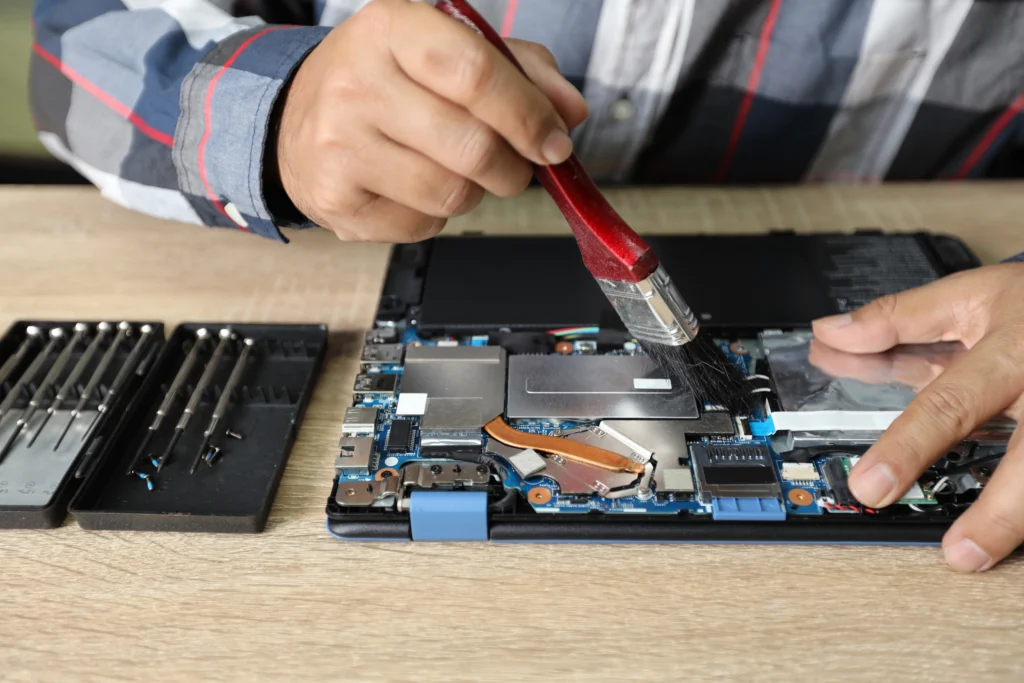
When you’re working as a laptop technician, you understand that having the right tools can make the difference between a smooth, efficient repair and a frustrating, time-consuming task. Whether you’re a professional or just someone looking to repair your own laptop, you need to know what tools are indispensable in your toolbox.
In 2026, the technology around laptops continues to evolve rapidly. With thinner designs, more complex internal components, and higher performance expectations, it’s more important than ever to have the best laptop repair tools on hand. But what tools should you consider? What’s worth the investment, and what’s not?
In this guide, you’ll discover the best tools every laptop technician should own, from essential screwdrivers to advanced diagnostic equipment. You’ll learn about the top tools that help you carry out repairs, diagnose issues, and ultimately deliver the best results for your clients or yourself.
1. Why Are the Right Laptop Repair Tools Crucial for Technicians?
The Importance of Proper Tools
As a technician, your primary responsibility is to ensure that each laptop repair is done correctly and efficiently. The right tools not only make your job easier but also ensure that the repairs are done without causing further damage. When using improper tools, you risk damaging delicate internal components, leading to costly mistakes. In some cases, attempting repairs without the proper equipment could void warranties or make it impossible to repair the device effectively.
Common Mistakes to Avoid
One of the biggest mistakes many technicians make is relying on generic tools that may not be specifically suited for laptop repairs. Not having specialized screwdrivers, for example, can lead to stripped screws and potentially irreversible damage to the laptop casing or motherboard. Similarly, neglecting to use ESD-safe (Electrostatic Discharge) tools can risk damaging sensitive internal parts, like memory and storage drives.
2. What Basic Tools Should Every Laptop Technician Have?
2.1 Screwdrivers & Precision Tools
A set of high-quality screwdrivers is essential for any laptop technician. Laptops are assembled with tiny screws of various sizes and types, and each model often requires specific tools. Invest in a comprehensive precision screwdriver set, ideally made of durable, high-carbon steel.
Pro Tip: A magnetic screwdriver set is a game-changer. It helps prevent losing small screws during disassembly and assembly.
Common Tools:
- Phillips head screwdrivers: Used for general assembly screws.
- Torx screwdrivers: Often used for securing internal components like the battery and motherboard.
- Flathead screwdrivers: Ideal for prying open laptop casings gently.
Pry Tools & Spudgers
Laptop bodies are often snap-assembled, which means you’ll need plastic pry tools or spudgers to open the device without causing damage. Using metal tools can scratch or crack the case. These plastic tools help you open the casing while ensuring that you don’t damage the surrounding components.
Tweezer Set
A good set of fine-tipped tweezers is indispensable for handling small parts and delicate connectors. You’ll use these to remove or place internal components like screws, cables, and chips.
Pro Tip: A tweezer set with anti-magnetic tips will prevent damage to electronic components during repair.
Your Laptop Deserves Expert Care
3. What Advanced Tools Are Necessary for Diagnosing and Repairing Laptops?
3.1 Diagnostic Equipment
Being able to identify issues quickly and accurately is crucial in the fast-paced world of laptop repairs. Diagnostic tools help you identify problems before you start taking apart the machine, saving you time and reducing the risk of further damage.
- Multimeter: This tool allows you to check for electrical continuity and voltage levels, making it ideal for testing power supplies, batteries, and even the laptop’s internal circuitry.
- POST Card (Power-On Self-Test): A POST card helps diagnose issues related to motherboard failure by displaying error codes.
- USB Boot Drive: This device lets you boot a laptop from an external drive, which is useful for troubleshooting and repairing corrupted operating systems.
3.2 Thermal Paste & Removal Tools
Laptops are sensitive to heat, and over time, their cooling systems may need maintenance. Thermal paste ensures proper heat transfer between the CPU and the cooling system, so replacing or applying it during repairs is essential.
- Thermal Paste: Use high-quality thermal paste to maintain efficient cooling performance.
- Thermal Pads and Cleaning Kits: Make sure to have pads and cleaning solutions on hand to remove old thermal paste before applying a new layer.
Pro Tip: Don’t skimp on thermal paste. A quality paste can make a significant difference in heat management, especially for high-performance laptops.
4. What Specialized Laptop Tools Should You Invest in for Efficiency?
4.1 Laptop Screen Repair Tools
One of the most common repairs is screen replacement. While the laptop’s body might be tough, the screen is one of the most fragile components. You’ll need a set of tools specifically for repairing or replacing laptop screens:
- Screen Suction Cup: This tool helps to remove the screen without damaging the glass or LCD.
- Anti-Static Wrist Strap: To prevent static electricity from damaging the laptop’s internal components during screen replacement.
- LCD Repair Kit: A specialized kit that includes everything from small pry tools to adhesive strips for screen replacement.
4.2 Hot Air Rework Station
If you are dealing with complex laptop repairs, such as motherboard repairs or component replacement, a hot air rework station is essential. This tool allows you to heat and remove surface-mounted components, such as resistors, capacitors, and ICs, from the motherboard without causing permanent damage.
5. How Can Laptop Technicians Ensure They Don’t Damage Sensitive Internal Components?
5.1 Use ESD-Safe Tools and Mats
Electrostatic discharge (ESD) is a significant threat to laptops’ delicate internal components. ESD can cause irreparable damage to memory chips, motherboards, and other critical parts. That’s why it’s important to invest in ESD-safe tools and mats.
- ESD Mat: An anti-static mat prevents static buildup and keeps components safe during repairs.
- ESD-Safe Tweezers and Brushes: These are designed to prevent static electricity from harming sensitive parts.
5.2 Avoiding Overheating
Many laptop repairs involve the use of heat, whether it’s applying thermal paste or removing soldered components. However, excessive heat can damage parts like the CPU or GPU. Using precise heating tools, such as the hot air rework station mentioned earlier, ensures that only the targeted area receives heat.
6. What Are Some Pro Tips for Maintaining Your Laptop Repair Tools?
6.1 Regular Cleaning and Calibration
Regular maintenance of your tools ensures their longevity and efficiency. Clean and calibrate your tools periodically, especially when working with sensitive components. Keeping screwdrivers and tweezers clean of dust and debris will prevent accidental damage during repairs.
Pro Tip: For screwdrivers, use a small cleaning brush or compressed air to remove dust and grime. Calibration of diagnostic tools ensures accurate readings and smooth operation.
6.2 Storage and Organization
Keeping your tools organized is essential for speed and efficiency. Use a tool chest or a technician tool bag to store your gear in a way that is easy to access. You can even categorize tools by repair type (e.g., screen repair, motherboard diagnostics).
7. What Are the Top 3 Laptop Repair Tools for Beginners?
- Precision Screwdriver Set: Essential for opening the laptop without damaging any screws or casings.
- Multimeter: A fundamental diagnostic tool for checking electrical continuity and voltage.
- Pry Tools and Spudgers: Perfect for opening laptops without damaging the outer case.
Conclusion
Having the right tools is essential for any laptop technician. From basic screwdrivers to advanced diagnostic tools, every piece of equipment plays a vital role in the repair process. Investing in high-quality, specialized tools will not only make your job easier but will also ensure that you can tackle any repair challenge that comes your way. Whether you’re a beginner or an experienced technician, this list will guide you in equipping your toolkit for 2026 and beyond.
If you’re looking to take your laptop repair skills to the next level, be sure to check out our recommended tools and start building your own toolkit. Your efficiency and precision will improve, and you’ll deliver top-notch repairs to your clients or personal projects.
FAQ
1. What is the best screwdriver set for laptop repairs?
The best screwdriver sets for laptop repairs include precision screwdrivers made from durable materials like carbon steel. Brands like iFixit offer comprehensive sets that include Phillips, Torx, and flathead screwdrivers.
2. Do I need a thermal paste application tool?
While you don’t need a dedicated tool for thermal paste application, a plastic spatula or credit card works well for spreading the paste evenly. Many technicians use their hands with gloves to apply it directly.
3. How can I protect my laptop from ESD during repairs?
Using ESD-safe mats and wrist straps is the most effective way to protect sensitive components from electrostatic discharge. Always work on grounded surfaces and keep ESD-safe tools in your kit.
4. Can I repair a cracked laptop screen myself?
Yes, with the right tools like suction cups, screen adhesive, and anti-static kits, you can repair or replace a cracked screen. Just make sure to buy a compatible screen for your laptop model.
5. How often should I replace my laptop repair tools?
You should replace tools like screwdrivers and tweezers if they start showing signs of wear or if the tips become rounded or bent. Keep tools clean and maintain them regularly to prolong their lifespan.
6. What is the best diagnostic tool for laptops?
A multimeter and POST card are the best diagnostic tools for identifying electrical issues and motherboard errors. Additionally, using a USB boot drive to check the operating system is invaluable during repairs.