
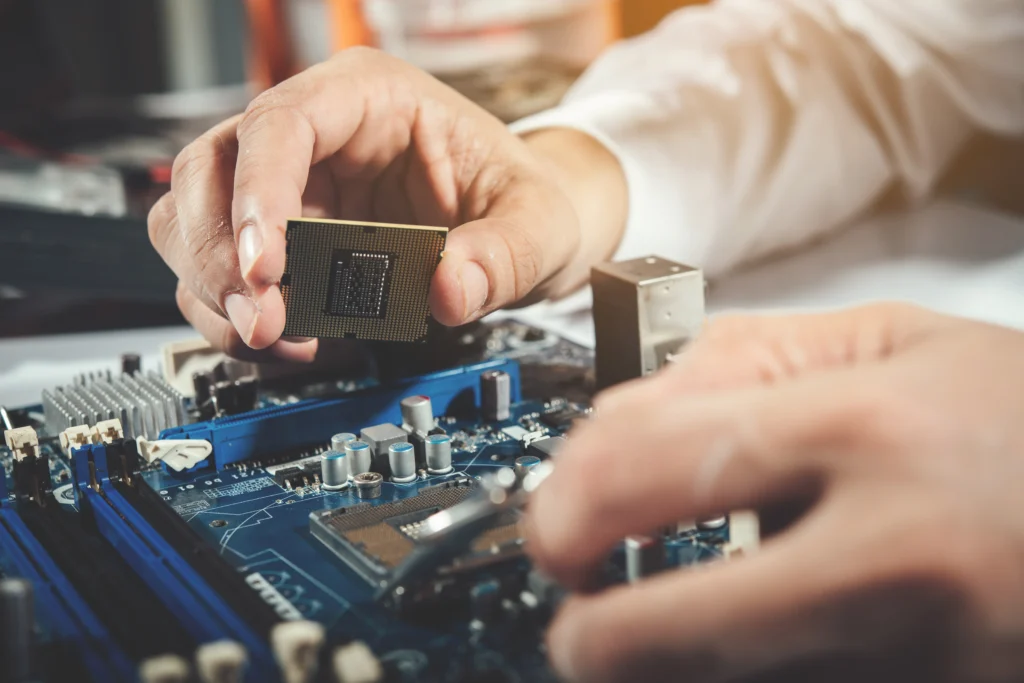
Are you frustrated with a slow or non-responsive laptop, only to discover that the motherboard may be the root cause? Many laptop users find themselves in a dilemma when faced with motherboard issues — repair or replace? In this ultimate guide, we’ll walk you through the intricate world of laptop motherboard repair in 2026. From understanding common problems to deciding whether to replace or repair, we’ll ensure you have all the knowledge you need.
Laptop motherboard issues can often seem daunting, especially for those who aren’t tech-savvy. Whether it’s due to wear and tear, manufacturing defects, or accidental damage, a motherboard failure can bring your work and productivity to a screeching halt. Fortunately, there’s a way forward. This guide will break down the common symptoms of motherboard issues, explain how repairs work, and help you make informed decisions about when and how to proceed with a motherboard repair in 2026.
What Is a Laptop Motherboard and Why Is It So Important?
What does a laptop motherboard do?
The motherboard is the heart and soul of your laptop — a critical component that holds everything together. It’s the main circuit board that connects all the hardware, including the CPU, RAM, storage, graphics card, and other internal components. It facilitates communication between all of these parts, ensuring that your laptop functions smoothly.
Without a properly functioning motherboard, your laptop won’t be able to process any tasks. Any issues with this core component can lead to severe malfunctions, such as the screen not turning on, frequent crashes, or inability to boot up.
Why do laptop motherboards fail?
Motherboards can fail for various reasons, and understanding these causes is essential to preventing future damage. Here are some of the most common culprits:
- Physical damage: Accidental drops, spills, or excessive heat can physically damage the motherboard.
- Power surges: Voltage spikes, often caused by faulty chargers or electrical storms, can fry the components.
- Wear and tear: Over time, electrical components degrade and can lead to motherboard failures.
- Manufacturing defects: Occasionally, motherboards may fail due to defects in the manufacturing process.
Your Laptop Deserves Expert Care
How Do You Know If Your Laptop Needs a Motherboard Repair?
Common signs of a faulty motherboard
Before diving into repairs, it’s essential to identify the symptoms of a failing motherboard. Here are the most common signs to look out for:
- No power or failure to boot: If your laptop doesn’t power on or get past the initial boot screen, it may be a motherboard issue.
- Overheating: Excessive heat could point to motherboard failure, as overheating can damage internal components.
- Frequent crashes and freezes: Random crashes and freezes that don’t seem to have an obvious cause might be linked to motherboard problems.
- Faulty USB ports or connectivity issues: If ports on the motherboard aren’t functioning, it may affect how your laptop interacts with external devices.
- Screen issues: If your screen flickers, stays black, or shows strange colors, the motherboard could be causing the problem.
How to confirm a motherboard issue
If you suspect your motherboard is failing, performing a few diagnostic tests can help confirm the issue:
- Run hardware diagnostics: Most laptops come with built-in diagnostics. You can run a quick test to check for hardware problems.
- Check the power supply: Ensure your battery or charger is working properly. Sometimes, power issues can mimic motherboard failure.
- External monitor test: Connect your laptop to an external monitor. If the external monitor works, the problem might lie with the motherboard’s graphics chip.
- Reseat components: Gently reseat components like RAM or the hard drive to make sure they’re properly connected.
Laptop Motherboard Repair vs. Replacement: Which Is Better?
Can a motherboard be repaired?
Yes, in many cases, laptop motherboards can be repaired. Skilled technicians can fix issues such as broken solder joints, damaged capacitors, or faulty connections. However, the success of repairs depends on the extent of the damage.
When to repair your motherboard
- Minor issues: If the problem is minor, like a loose connection or broken component, a repair might be the best option.
- Cost-effective: If the cost of repair is lower than replacement, repairing the motherboard may be the best choice.
- Experience and skill: If you’re confident in your skills or have access to professional repair services, fixing the issue might be a more practical solution.
When to replace your motherboard
- Severe damage: If the motherboard has suffered severe damage, such as a broken CPU socket, cracked PCB (printed circuit board), or extensive overheating, replacing the motherboard may be the only option.
- Outdated model: If your laptop is old and the motherboard repair costs approach or exceed the value of the laptop, replacement might be a smarter financial decision.
- Difficult to repair: Some newer laptop models have tightly integrated motherboards that are hard to repair. In such cases, replacement is often the only viable option.
Laptop PCB Repair: What Is It and How Does It Work?
What is a PCB and why does it matter?
The PCB (printed circuit board) is the foundation of the motherboard. It’s where all the internal components are soldered or mounted. Damaged PCBs can cause short circuits, component failures, or erratic behavior in your laptop. While repairing the PCB is a complex task, it’s often possible with specialized tools and techniques.
Common PCB repair methods
- Reflow soldering: This technique uses heat to remelt the solder on the PCB to fix loose or broken connections.
- Micro-soldering: A precise technique for fixing tiny components on the motherboard. This is often required when dealing with very small parts or damaged circuits.
- Component replacement: If a specific part, such as a capacitor or resistor, is damaged, it can be replaced without needing to replace the entire motherboard.
How to Repair Your Laptop Motherboard: A Step-by-Step Guide
Step 1: Prepare Your Laptop for Repair
Before you begin, ensure the following:
- Power down the laptop: Disconnect from the power source, and remove the battery.
- Gather tools: You’ll need a set of precision screwdrivers, thermal paste, soldering iron (for PCB repairs), and a multimeter to check voltages.
- Set up a clean workspace: Make sure your workspace is organized and free from static.
Step 2: Diagnose the Problem
Use the diagnostic steps mentioned above to confirm the motherboard issue. This will help you understand the scope of the problem and the repair method.
Step 3: Perform the Repair
- Remove components: Carefully remove components like RAM, hard drives, and cooling fans.
- Inspect the motherboard: Look for damaged components or broken solder joints.
- Apply repair techniques: Use soldering to fix damaged connections or replace faulty components.
- Reassemble the laptop: Once the repair is done, reassemble the laptop and test it to ensure everything is working correctly.
Cost of Laptop Motherboard Repair: What You Should Know
What is the cost of repairing a laptop motherboard in 2026?
The cost of motherboard repair depends on several factors:
- Laptop model and brand: High-end models may cost more to repair due to their complexity.
- Type of repair: Simple repairs, such as fixing a loose connection, may cost around $50 to $150. More complex repairs or part replacements can go up to $300 or more.
- Repair service: If you go through a professional service, the cost may vary depending on the expertise of the technician and the location of the service provider.
Is motherboard repair worth the cost?
It’s essential to weigh the repair costs against the cost of replacing the motherboard or purchasing a new laptop. In some cases, repairs may be worthwhile, especially if you have an expensive or newer laptop. In other cases, it might be better to buy a replacement.
Conclusion: Should You Repair or Replace Your Laptop Motherboard?
In conclusion, the decision to repair or replace your laptop motherboard in 2026 comes down to the severity of the issue, the cost involved, and the value of your laptop. While repairs can be a cost-effective solution, replacement may be more practical in some cases, especially if the laptop is outdated or the damage is severe.
Whether you choose to repair or replace, always seek professional help if you are unsure about the technical aspects. Laptop motherboard repair can be complex, but with the right knowledge and tools, you can extend the life of your laptop.
FAQ Section
How do I know if my laptop motherboard is damaged?
If your laptop is not powering on, overheating, or experiencing screen issues, it could be due to a motherboard malfunction. Running hardware diagnostics or testing with an external monitor can help confirm the issue.
Can a laptop motherboard be repaired at home?
Yes, minor issues like loose connections or damaged components can be repaired at home if you have the right tools and expertise. However, for complex repairs, it’s recommended to seek professional help.
How much does it cost to replace a laptop motherboard?
The cost of replacing a motherboard can range from $200 to $800, depending on the laptop model and repair service. High-end models may cost more to replace.
Can I replace just the damaged part of the motherboard?
Yes, in some cases, it’s possible to replace only the damaged part of the motherboard, such as a faulty capacitor or chipset. This is often cheaper than replacing the entire motherboard.
Is it worth repairing an old laptop motherboard?
If the laptop is old and the repair costs are high, it may be more cost-effective to replace the laptop. However, if it’s a high-end model or still relatively new, repairing the motherboard can extend its lifespan.