
Digital Storm Laptop Liquid Damage Repair – Fast, Reliable, Trusted
Restore your Digital Storm laptop from liquid damage quickly and safely. Our secure Mail-In Service ensures your device reaches expert technicians without leaving your home, providing reliable and efficient repair solutions.

Imagine spilling coffee or water on your high-end Digital Storm laptop and feeling your heart sink. One moment it’s working perfectly; the next, your laptop is refusing to turn on. Liquid damage is one of the leading causes of laptop failures, and the consequences can be devastating—data loss, permanent hardware damage, or expensive replacements.
Did you know that over 40% of laptop liquid damage incidents could be mitigated with fast professional intervention? Many homeowners and businesses in Las Vegas underestimate the urgency, often trying DIY fixes that worsen the situation.
This is where Digital Storm laptop liquid damage repair services come in. Our specialized team quickly assesses the extent of the damage, prevents short circuits, and restores your laptop to optimal functionality. We combine advanced diagnostic tools with high-quality replacement parts, ensuring that your device works like new.
Whether it’s accidental spills, condensation issues, or sudden exposure to liquids in busy work environments, we provide reliable, fast, and affordable repair solutions. You don’t have to risk losing crucial files, documents, or your laptop entirely. By the end of this guide, you’ll understand why prompt, professional repair is your best option—and how we can help you save time, money, and stress.
Understanding Liquid Damage in Digital Storm Laptops
Liquid damage is more common than most laptop owners realize. Even a small amount of moisture on the keyboard or inside the casing can cause corrosion, short circuits, and permanent component failure. Digital Storm laptops, designed for high-performance gaming and professional use, contain intricate components highly sensitive to moisture.
Common Causes of Liquid Damage
Liquid damage can occur in many unexpected ways. Coffee, tea, soda, or other beverages spilled near your workspace are the most frequent culprits, seeping into the keyboard and internal circuitry. Accidental water splashes from nearby sinks, aquariums, or outdoor exposure can also penetrate the laptop casing and affect internal components
Signs Your Laptop Has Liquid Damage
Detecting liquid damage early is critical. If your keyboard keys suddenly stop responding or produce inconsistent input, it may indicate moisture has affected the circuitry beneath the keys. A laptop that fails to boot or shuts down unexpectedly could be experiencing short circuits caused by liquid intrusion
Long-Term Effects of Liquid Damage
Even if your laptop appears to function normally after a spill, latent damage can continue to affect performance over time. Corrosion may spread gradually, weakening connections and causing intermittent hardware failures. Storage devices can become corrupted, leading to potential data loss.
Why Professional Repair Matters
Attempting to repair a Digital Storm laptop on your own can be risky. The internal architecture of these laptops involves high-density circuits, custom cooling systems, and sensitive chips that require precise handling.
Professional liquid damage repair services ensure:
• Thorough internal cleaning to remove residue
• Safe disassembly and inspection of every component
• Replacement of damaged parts with manufacturer-grade components
• Data recovery where necessary
Why Choose Our Digital Storm Repair Experts
We differentiate ourselves through:
- Certified technicians with years of experience
- Original parts and high-quality replacements
- Transparent pricing
- Proven track record with positive customer reviews
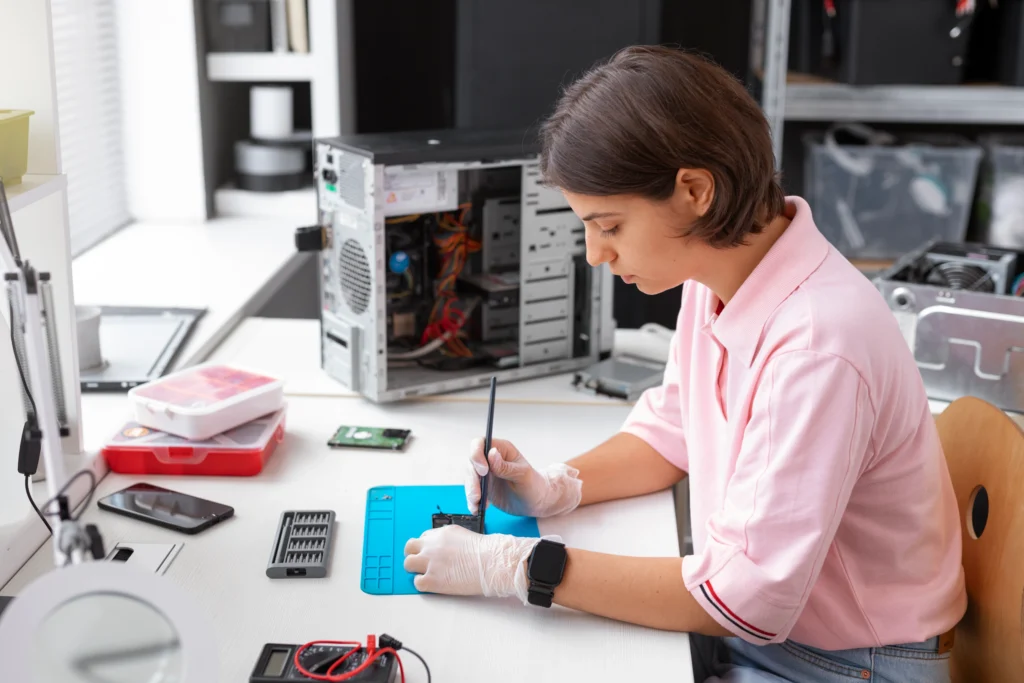
Comprehensive Digital Storm Laptop Repair Solutions
Expert Digital Storm laptop repair services, including hardware fixes, software troubleshooting, and performance optimization, delivered quickly and reliably.





Immediate Steps After Liquid Spill
Time is critical when dealing with liquid damage. Here’s what to do immediately:
- Power off the laptop: Disconnect from power immediately.
- Remove peripherals: Detach USB devices, SD cards, and external drives.
- Invert and drain: Turn the laptop upside down to prevent liquid from reaching internal circuits.
- Avoid heat: Do not use hair dryers or ovens—excessive heat can warp components.
- Call professional repair: Contact Digital Storm laptop liquid damage repair specialists for safe intervention.
Following these steps within the first hour can significantly improve repair success rates.
Signs You Should Seek Professional Help Immediately
Immediate repair is needed if you notice:
- Unresponsive keyboard or touchpad
- Sudden shutdowns or boot failures
- Strange noises or overheating
- Liquid residue under keys or ports
Digital Storm Laptop Repair Process
Our repair process is structured to maximize recovery and minimize downtime:
Initial Assessment
We conduct a thorough inspection to evaluate the extent of liquid damage. This includes checking the motherboard, keyboard, battery, RAM, storage, and ports.
Disassembly & Cleaning
Every component is carefully removed. Using industrial-grade cleaning solutions, corrosion is removed, and affected areas are treated to prevent future damage.
Component Replacement
Damaged parts like keyboards, motherboards, or SSDs are replaced with original or certified replacements.
Reassembly & Testing
After cleaning and replacement, the laptop is reassembled and undergoes extensive performance testing to ensure full functionality.
Data Recovery
If your storage devices were affected, our technicians attempt data recovery using specialized tools, giving you access to lost files wherever possible.
Common Digital Storm Laptop Liquid Damage Repairs
Some repairs are more frequently requested:
- Keyboard replacement due to spills
- Motherboard repair or replacement for critical circuit damage
- Battery replacement after short-circuiting
- Cooling system cleaning to prevent overheating
Each repair is handled with care to maintain your laptop’s high-performance standards.
Frequently Asked Questions
Yes, most liquid-damaged Digital Storm laptops can be repaired, depending on the severity. Our certified technicians carefully diagnose and replace affected components using high-quality parts, ensuring long-term functionality and performance.
Simply package your laptop securely and send it to our repair center. We perform detailed diagnostics and repairs, then ship it back safely. Our Mail-In Service guarantees a hassle-free, professional experience.
Repair time varies based on the extent of damage, but our Mail-In Service usually completes repairs within 3–7 business days. You’ll receive updates at every step, ensuring your laptop is returned quickly and safely.
Absolutely. All components replaced during liquid damage repair are high-quality, certified parts. Our Mail-In Service ensures your Digital Storm laptop is restored with reliable components for optimal performance.
Yes, we prioritize security. Our Mail-In Service provides step-by-step shipping instructions and tracking, ensuring your laptop is safely handled from arrival to delivery after repair.
The cost of liquid damage laptop repair depends on the severity of the damage and the parts affected. Minor cleaning may cost less, while motherboard or component replacement can increase the overall repair cost.
Yes, a liquid damage repair laptop service can often restore your device if treated quickly. Technicians clean internal components, remove corrosion, and replace damaged parts to bring the laptop back to working condition.
Laptop liquid damage repair usually takes between 1–3 days. The time depends on the extent of internal damage, the cleaning process, and whether replacement parts such as keyboards or motherboards are required.
Yes, liquid damage keyboard repair is possible if the spill has not severely damaged the internal circuits. Technicians clean and dry the keyboard, but in some cases, replacing the keyboard may be the best solution.
Turn off the laptop immediately, unplug the charger, and remove the battery if possible. Avoid turning it on again and take it to a professional laptop liquid damage repair technician to prevent further internal damage.
No, most cases can be handled with a liquid damage repair laptop service. Cleaning internal components and replacing affected parts often restores functionality without the need to replace the entire laptop.