
- Home
- Laptop Brands
- Hard Drive Replacement
Dell Laptop Hard Drive Replacement – Mail-In Service
Fast and reliable Dell Laptop Hard Drive Repair with professional Mail-In Service. Restore performance, fix storage failures, and upgrade to SSD with secure nationwide shipping and certified repair specialists.

A failing hard drive can cause slow performance, data loss, system crashes, and startup errors. Whether your Dell laptop is showing signs of hard drive failure or you simply want a faster storage upgrade, our Dell Laptop Hard Drive Replacement service provides the perfect solution.
Our Mail-In Service makes the process easy and worry-free. You simply pack and ship your laptop to our repair facility. Once we receive it, our certified technicians perform a detailed diagnostic check to confirm the condition of the drive. If the hard drive has failed, we replace it with a high-quality new drive. If you prefer, we can upgrade your laptop to a modern SSD for significant performance improvements.
After installing the replacement or upgraded drive, we configure your operating system, optimize performance settings, install essential drivers, and test the laptop thoroughly. We ensure the system boots quickly, performs smoothly, and is ready to use upon return. Finally, your laptop is securely packaged and shipped back to you with full tracking and insurance coverage.
Our Mail-In Service provides convenience, reliability, and quality workmanship. You get professional repair without needing to visit a store, and every repair is backed by a parts and labor warranty. Whether you need more storage space, faster performance, or a replacement for a failing drive, we ensure your Dell laptop returns to you running better than before.
Comprehensive Dell Laptop Repair Services by Nationwide Laptop Repair
At Nationwide Laptop Repair, we offer professional Dell laptop repair services for all models, ensuring your device runs flawlessly. From motherboard repair, screen replacement, battery replacement, keyboard issues, to liquid damage repair and software troubleshooting, our expert technicians handle every problem with precision. We provide fast, reliable, and affordable Dell laptop repair solutions, using genuine parts and advanced diagnostic tools. Trust Nationwide Laptop Repair to restore your Dell laptop’s performance and extend its lifespan, delivering high-quality service you can count on.





Why You Should Consider a Dell Laptop Hard Drive Replacement
Over time, hard drives (especially traditional HDDs) can slow down, leading to frustrating performance issues such as longer boot times and slower file access. A simple yet effective way to address these problems is through a Dell laptop hard drive replacement.
Replacing your old hard drive can significantly improve the overall performance of your system. Whether you choose a Dell laptop SSD upgrade or another type of hard drive, this upgrade will give your laptop new life. If your laptop is still using an HDD, switching to an SSD will provide a dramatic increase in speed, reliability, and efficiency.
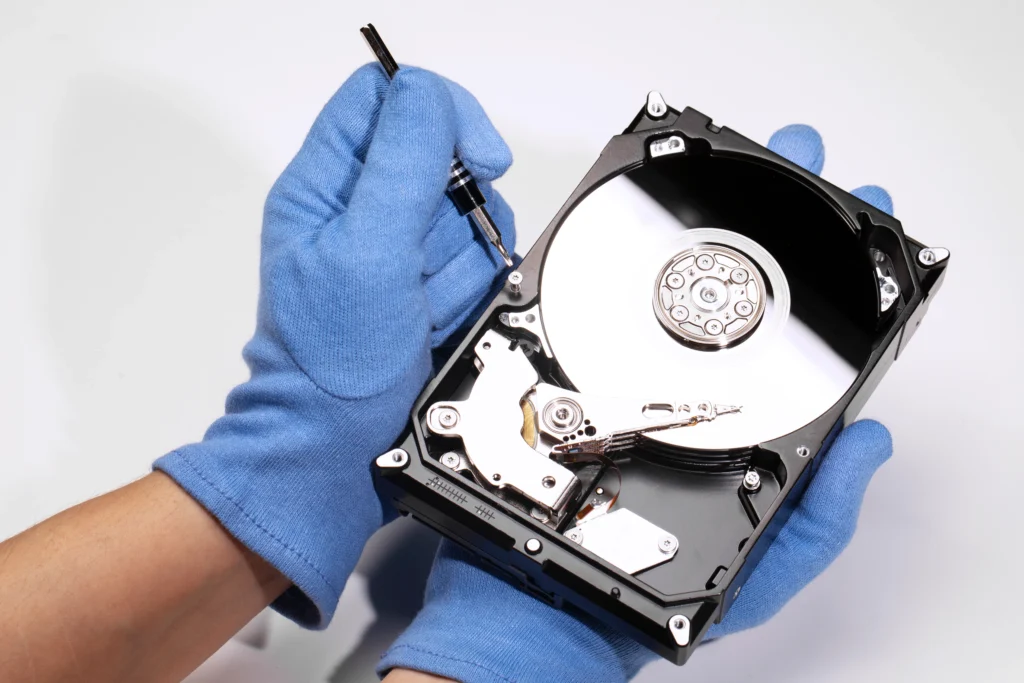
The Benefits of Replacing a Failing Hard Drive in Your Dell Laptop
If you’re still using a traditional HDD in your Dell laptop, upgrading to an SSD can offer substantial performance improvements. Here’s why:
Faster Boot Times
SSDs are much faster than traditional HDDs, meaning your laptop will start up quicker, allowing you to get to work without waiting.
Application Load Times
Programs will open more quickly, improving productivity, especially if you’re working with resource-heavy applications like video editing software or large databases.
More Reliability
SSDs are more durable because they don’t have moving parts, reducing the risk of mechanical failure over time.
Common Symptoms of a Failing Hard Drive:
- Unusually slow performance
- System freezes or crashes frequently
- Strange noises coming from the hard drive
- Files and applications take too long to load
- Sudden system shutdowns
Replacing your failing hard drive with a newer model, such as an SSD, can solve these issues and drastically improve your laptop’s performance.
How to Replace Your Dell Laptop Hard Drive Safely
If you prefer to go the DIY route, here’s a general process to help you replace your Dell laptop’s hard drive:
Backup Your Data
Before replacing your hard drive, make sure to back up all important files and data. You can use external hard drives or cloud storage for this.
Power Off Your Laptop:
Ensure that your Dell laptop is powered off and unplugged from any power source.
Remove the Battery
If your Dell laptop has a removable battery, take it out before beginning the replacement.
Access the Hard Drive
Using a screwdriver, carefully open the laptop’s bottom panel to access the hard drive.
Disconnect the Old Hard Drive
Gently remove the old hard drive from its socket, taking note of any cables or connectors.
Install the New Hard Drive
Insert the new hard drive or SSD into the socket, ensuring it’s properly connected.
What to Expect from a Dell Laptop SSD Upgrade Mail-In Service
For users looking to avoid the hassle of traveling to a repair shop, our Dell laptop SSD upgrade mail-in service is the perfect solution. Here’s what you can expect:
- Request a Service: Simply fill out the online service request form.
- Ship Your Laptop: Once approved, you’ll be provided with shipping instructions to send your laptop.
- Expert Repair: Our technicians will inspect your laptop, replace the hard drive, and upgrade it to an SSD if needed.
- Return Shipping: Your repaired laptop will be sent back to you, typically within 5-7 business days.
This service provides a hassle-free way to upgrade your laptop’s storage and improve performance without leaving home.
Frequently Asked Questions
Frequent crashes, slow startup, clicking or grinding noises, and boot errors often signal a failing hard drive. If you see these signs, our nationwide Mail‑In Service can diagnose and replace the drive safely.
Yes. You simply ship your Dell laptop using our prepaid label. Our certified techs diagnose, replace or upgrade the drive, and return it securely—no local appointment required.
We attempt safe data transfer and recovery if the drive still functions. Severely damaged drives may limit recovery, and we’ll inform you before proceeding.
Typical Mail‑In turnaround is around 4–7 business days after delivery to us. This includes diagnosis, replacement or SSD upgrade, OS setup, and testing before shipping back.
Yes. Our Mail‑In Service supports SSD upgrades, which dramatically improve boot speeds, responsiveness, and overall performance. Choose the capacity that fits your needs.
Completely. We provide secure packing instructions, insured return shipping, and tracking so your laptop stays protected throughout the repair and return process.