Which Shipping Carrier Is Best: UPS, FedEx, or USPS?
All three major carriers can safely ship a laptop, but they differ in tracking detail, insurance options, and typical delivery speed.
Carrier | Tracking | Insurance | Delivery Speed | Estimated Cost | Best For |
UPS | Detailed, real-time scans | Available up to high declared value | 1–5 business days | Varies by destination and service | Higher-value laptops needing close tracking |
FedEx | Detailed, real-time scans | Available, similar tiers to UPS | 1–5 business days | Varies by destination and service | Time-sensitive repairs |
USPS | Basic to detailed depending on service | Available on Priority Mail and above | 2–5 business days | Often the most economical | Budget-conscious shippers |
Shipping costs vary depending on package dimensions, weight, destination, declared value, and service level.
Whichever carrier you choose, always request a tracking number and, for anything beyond a low-cost device, purchase insurance that reflects the laptop’s actual value rather than a default minimum.
Major carriers such as UPS, FedEx, and USPS publish packaging recommendations for electronic devices, including guidance on cushioning, declared value coverage, and lithium-ion battery shipments. Reviewing your carrier’s latest shipping requirements before sending your laptop can help prevent avoidable delays.
What Mistakes Should You Avoid When Shipping a Laptop?
Technicians see the same avoidable issues again and again:
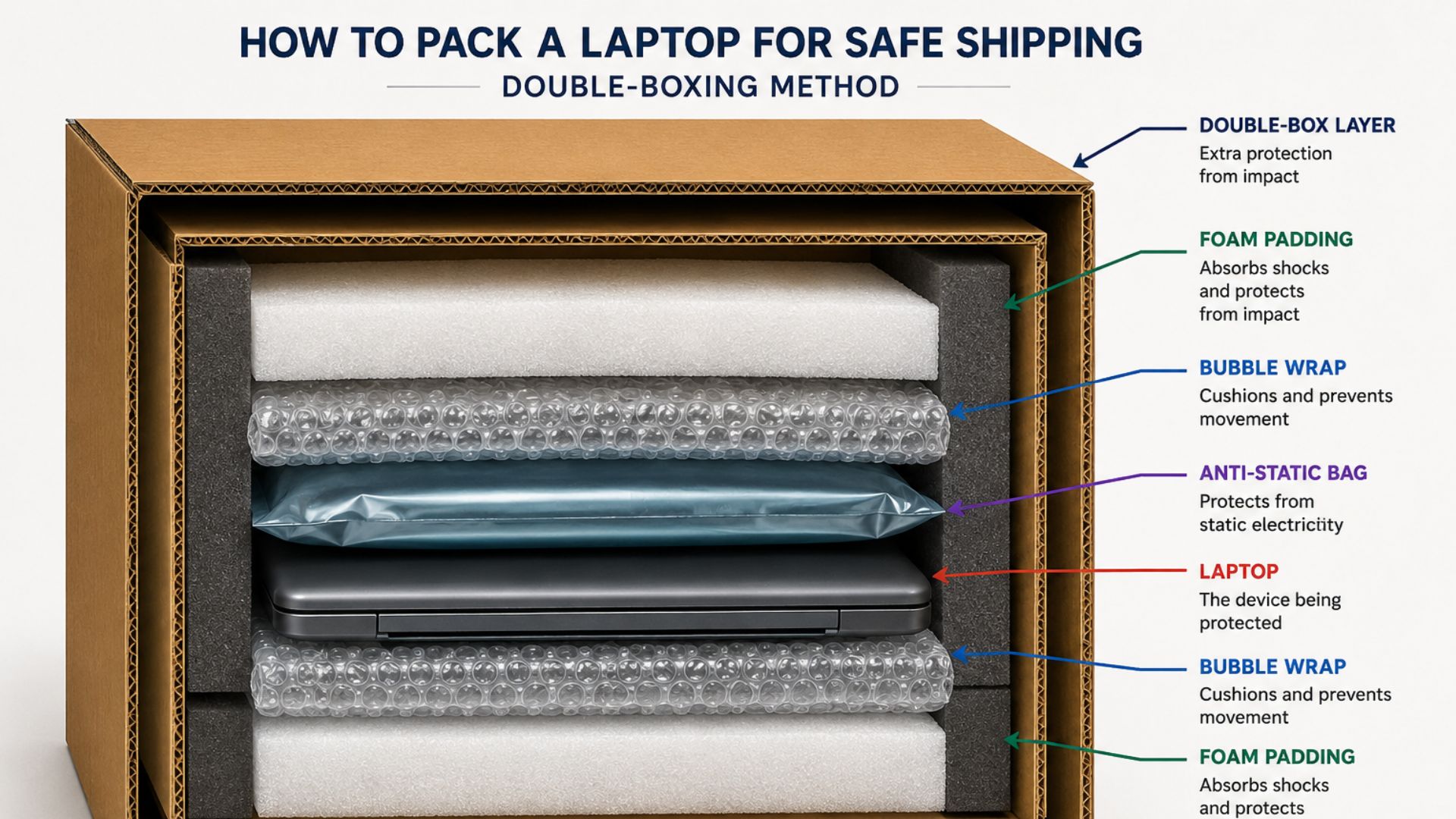
Wrapping the laptop in a plastic bag or thin paper isn’t enough; it needs real shock absorption.
- Leaving the charger loose in the box
An unsecured charger can slide and scratch the screen or dent the lid during transit.
In our repair experience, we’ve also received laptops with cracked displays because loose accessories shifted repeatedly inside the box during shipping. Keeping accessories separate or securing them properly can help prevent avoidable damage.
- Reusing a damaged or overly large box
A box that’s too big lets the laptop move around; a weakened box can collapse under the weight of stacking.
- Forgetting the repair order form or reference number
Missing paperwork is one of the most common causes of delays once a laptop arrives at a repair facility, since technicians can’t match the device to the right ticket.
- Not declaring accurate insurance value
Under-insuring a laptop means you won’t be fully covered if something goes wrong in transit.
Not sure how to package your specific model? Contact our repair team before you ship; a quick question up front can prevent a shipping mishap later. If the issue involves a cracked screen or a motherboard problem, our motherboard repair page covers what to expect from that specific repair.
What Happens After Your Laptop Arrives for Repair?
Once your laptop reaches the repair facility, it typically goes through a few standard stages: intake and inspection, diagnostic testing to confirm the issue, the repair itself, quality testing to confirm everything works, and finally repackaging for return shipping. Reputable repair companies provide tracking updates or status notifications throughout this process so you know exactly where your device stands.
If you’re shipping to Nationwide Laptop Repair, you can see how return shipping and tracking work on our receiving page, and our team will reach out directly if any additional information is needed to complete the job.
Final Thoughts
While every repair is different, proper packaging is one of the few factors completely within your control. Spending a few extra minutes preparing your laptop can reduce the risk of avoidable transit damage and help technicians begin diagnosing the issue as soon as your device arrives.
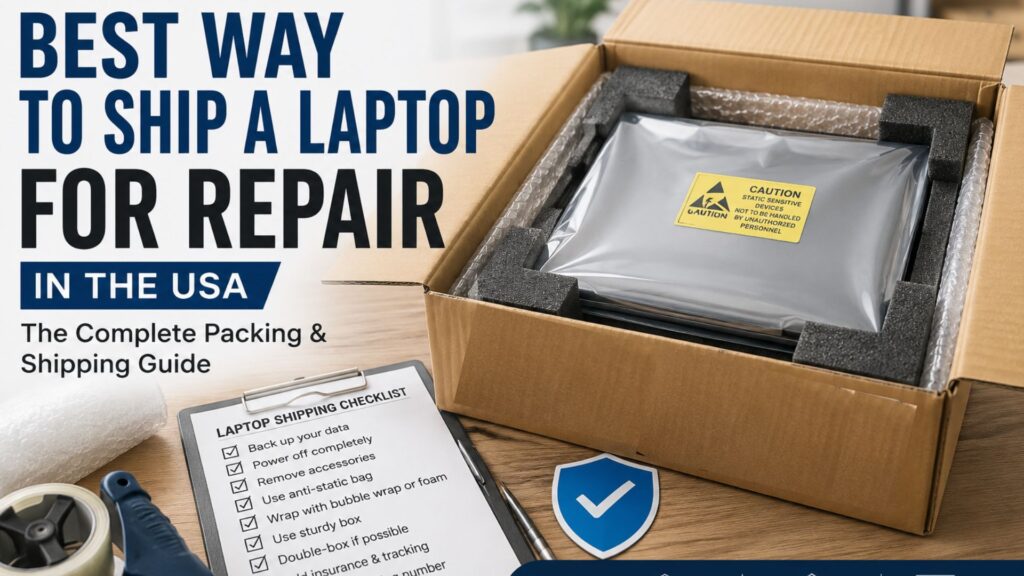
Shipping a laptop for repair comes down to a handful of habits: back up your data, power the device down fully, pad it properly, box it securely, and choose a carrier you can track and insure. Most shipping damage technicians see isn’t caused by rough handling in transit; it’s caused by a laptop that had room to shift inside its box. Take the extra few minutes to pack it right, and your laptop will arrive ready for repair with no surprises.
Nationwide Laptop Repair provides nationwide mail-in laptop repair with clear diagnostics, a quote before approved work begins, and secure return shipping. All jobs come with a complete guarantee and warranty, and parts come with a one-year warranty.
Quick Summary
- Back up important files before shipping.
- Power the laptop off completely.
- Remove unnecessary accessories unless requested.
- Place the laptop in an anti-static bag.
- Wrap it with bubble wrap or foam padding.
- Double-box whenever possible.
- Ship with UPS, FedEx, or USPS.
- Purchase insurance for valuable laptops.
- Keep your tracking number until delivery.
- Follow your repair provider’s shipping instructions.
Frequently Asked Questions
- What is the safest way to ship a laptop?
The safest method is to power the laptop down, remove accessories, wrap it in bubble wrap or foam inside an anti-static bag, and pack it snugly in a sturdy box, ideally double-boxed. Choose a carrier with reliable tracking and insure the shipment based on the laptop’s real value.
- Should I include the charger?
In most cases, no. Unless your repair center specifically requests the charger for testing, leaving it at home reduces the risk of it shifting and damaging the screen or lid during transit.
- Is shipping insurance worth it?
Yes, especially for higher-value laptops. Insurance protects you financially if the package is lost or damaged in transit, and it typically costs far less than replacing or repairing a device without coverage.
- Can I ship a laptop with its battery installed?
Yes, most laptops can be shipped with the internal lithium-ion battery installed, since it’s built into the device. Just make sure the laptop is fully powered off, not just in sleep mode, before packing it.
- How can I track my repair?
Most mail-in repair companies provide a tracking number for the inbound shipment and a separate repair status update once your laptop is received. Check with your provider for their specific tracking process.