How Long Does Laptop Repair Usually Take?
How long laptop repair takes depends on the problem, required parts, diagnostic complexity, and the type of repair needed. Some straightforward issues can be resolved relatively quickly, while motherboard faults, liquid damage, display problems, data recovery, or component-level repairs may require additional diagnosis and testing.
Because two laptops with similar symptoms can have completely different underlying faults, the most reliable turnaround estimate is usually provided after the device has been diagnosed.
Nationwide Laptop Repair provides a mail-in laptop repair service for customers across the USA, with a free diagnostic and clear quote before approved repair work begins.
What Factors Affect Laptop Repair Time?
Several factors determine how quickly a laptop can be diagnosed, repaired, tested, and returned.
1. The Type of Problem
A simple software issue is very different from a motherboard or component-level hardware fault.
For example:
Software problems may require troubleshooting, cleanup, or operating-system work.
Screen problems may require diagnosis and the correct replacement panel.
Charging problems may involve the charger, battery, port, or motherboard.
Motherboard faults may require component-level testing.
Data recovery can require additional time depending on drive condition.
The more complex the fault, the more diagnostic and testing time may be required.
2. Parts Availability
Some repairs require replacement components.
Turnaround can depend on whether the correct part is available for the laptop model. Less common displays, batteries, keyboards, motherboard components, or other model-specific parts may take longer to source.
When replacement components are required, Nationwide Laptop Repair uses OEM equivalent parts selected for the specific repair and device requirements.
3. Diagnostic Complexity
The symptom does not always reveal the failed component.
For example, a laptop that will not charge may have:
A failed battery
Damaged charging port
Faulty charger
USB-C power-delivery issue
Motherboard charging-circuit fault
Diagnosis helps avoid replacing a working component unnecessarily.
4. Additional Damage
A repair can take longer when inspection reveals more than one problem.
For example, liquid exposure may affect several circuits, while physical damage to a screen can also involve the display cable, hinges, or lid assembly.
5. Testing After Repair
Repair time should also include testing.
After the approved repair is completed, the laptop should be checked to confirm that the original fault has been addressed and that the repaired system operates reliably.
How Long Does Laptop Screen Repair Take?
Laptop screen repair time depends on the laptop model, type of display, replacement-panel availability, and whether the problem actually comes from the screen itself.
A visibly cracked or shattered panel generally requires replacement. However, black, flickering, dim, or distorted displays can also be caused by:
Display cables
Internal connectors
Backlight components
Graphics hardware
Motherboard faults
This is why diagnosis should happen before automatically ordering a replacement screen.
For a more detailed explanation, see our laptop screen replacement cost and repair time guide.
How Long Does Laptop Battery Replacement Take?
Battery replacement is often less complex than board-level repair, but turnaround still depends on:
Laptop model
Battery availability
Whether the battery is internally installed
Whether another charging problem is present
A laptop that will not charge does not automatically have a failed battery. The charging port, charger, or motherboard power circuitry may also need to be checked.
If battery failure is confirmed, see our laptop battery replacement service.
How Long Does Charging Port Repair Take?
Charging-port repair time depends on the design of the laptop and the extent of the damage.
Some laptops use replaceable DC-jack assemblies, while others have charging ports attached directly to the motherboard.
Diagnosis may also reveal that the issue is not the port itself but the:
Charger
Battery
USB-C power circuitry
Motherboard charging circuit
See our laptop charging port repair service if your laptop only charges at an angle, has a loose connector, or repeatedly loses charging power.
How Long Does Laptop Motherboard Repair Take?
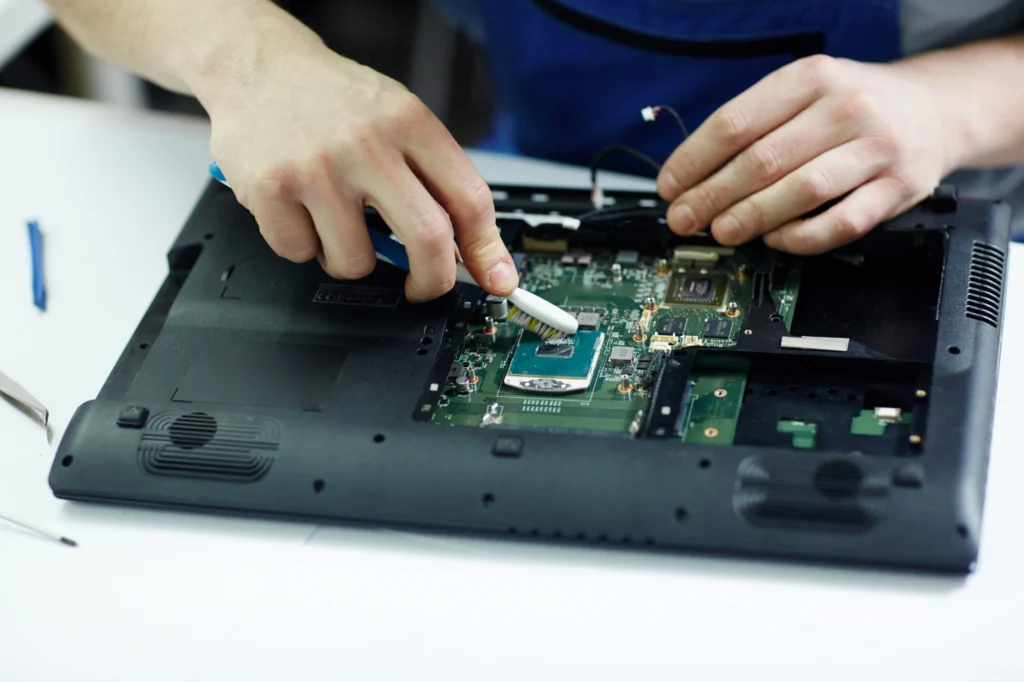
Motherboard repairs usually require more detailed diagnosis than straightforward replacement work.
A technician may need to identify:
Short circuits
Failed power components
Damaged charging circuitry
Burned components
Liquid-damage corrosion
Failed ports
Other board-level faults
Repair time depends on the fault, board condition, required components, and testing needed after the repair.
For board-level problems, see our laptop motherboard repair service.
How Long Does Hard Drive or SSD Repair Take?
Storage-related repairs vary considerably.
A straightforward drive replacement is different from a data-recovery case.
Turnaround depends on whether the issue involves:
Failed SSD or hard drive
Operating-system corruption
Data migration
File recovery
Physical drive failure
If important data is involved, diagnosis should come before formatting, reinstalling, or replacing the drive.
How Long Does Laptop Keyboard Replacement Take?
Keyboard repair time depends on the laptop design.
Some keyboards can be accessed relatively easily, while others are integrated into the top case or palm-rest assembly and require more extensive disassembly.
Parts availability and the laptop model therefore have a significant effect on turnaround.
How Long Does GPU or Graphics Card Repair Take?
GPU and graphics-related problems often require detailed testing.
Symptoms can include:
Display artifacts
Black screens
Crashes under load
Overheating
GPU not detected
Visual corruption
Power-related GPU faults
The technician may need to inspect graphics memory, power-delivery components, cooling hardware, the GPU itself, or related motherboard circuitry.
For dedicated graphics problems, see our graphics card repair service.
Can Laptop Repair Be Completed the Same Day?
Some straightforward repairs may be completed quickly when diagnosis is simple and the required parts are available.
However, same-day repair cannot be assumed for every laptop.
Turnaround can be affected by:
Diagnostic findings
Parts availability
Complexity of disassembly
Component-level repair requirements
Additional damage
Testing requirements
For this reason, it is better to receive an expected turnaround after diagnosis rather than rely on a fixed promise before the laptop has been inspected.
Need a Turnaround Estimate for Your Laptop?
If you are unsure how long your particular repair may take, send us the laptop model and a description of the problem.
Our technicians can diagnose the device, explain the recommended repair, and provide a clearer expected turnaround before approved work begins.
Call 702-955-8585
How Can You Help Avoid Unnecessary Repair Delays?
Describe the Problem Clearly
Provide as much useful information as possible.
Mention:
What happened before the problem started
Error messages
Whether the laptop was dropped
Whether liquid was involved
When the problem occurs
Whether the issue is intermittent
Any troubleshooting already performed
This gives the technician useful context before diagnosis.
Back Up Important Files
If the laptop still works, back up important files before repair.
This is especially important when the problem involves the storage drive, operating system, motherboard, or unstable power.
Pack the Laptop Properly
Good packaging helps prevent additional physical damage during shipping.
Follow the recommended shipping instructions and use sufficient cushioning around the laptop.
Send Only Necessary Accessories
Unless requested, avoid sending unnecessary accessories.
If the problem involves charging or power, the technician may ask you to include the charger for testing.
What Happens During the Laptop Repair Process?
Step 1 — Submit a Repair Request
Tell us the laptop model and the problem you are experiencing.
Step 2 — Pack and Ship Your Laptop
Carefully package the device and send it to our repair center.
Customers are responsible for inbound shipping charges.
Step 3 — Free Diagnostic and Quote
We inspect the laptop, identify the fault, and provide a clear repair quote.
An expected turnaround can also be provided based on the diagnosis and parts requirements.
No approved repair work begins until the quote has been reviewed.
Step 4 — Repair and Testing
After approval, the required repair is completed.
OEM equivalent replacement parts are used when replacement components are required.
The laptop is then tested to confirm that the original issue has been addressed.
Step 5 — Free Return Shipping
After the completed repair, Nationwide Laptop Repair covers return shipping within the USA.
Frequently Asked Questions
How long does laptop repair usually take?
There is no single turnaround time for every repair. The timeline depends on the problem, parts availability, diagnostic complexity, and testing required. A more accurate estimate can be provided after the laptop has been diagnosed.
How long does it take to replace a laptop screen?
Screen replacement time depends on the laptop model, availability of the correct display panel, and whether additional display-related damage is present.
How long does laptop motherboard repair take?
Motherboard repair often requires component-level diagnosis and testing. Turnaround depends on the type of board fault, damaged components, parts availability, and the condition of the motherboard.
Can laptop repair be completed the same day?
Some straightforward repairs may be completed quickly when the required parts are available, but same-day completion cannot be guaranteed for every device.
Does waiting for parts increase repair time?
Yes. Repairs requiring model-specific or less commonly available components may take longer when the correct replacement part must be sourced.
Should I back up my laptop before repair?
Yes, whenever the laptop remains operational. Maintaining a current backup protects important files before any hardware or software repair.
Will I know the repair time before approving the work?
After diagnosis, the technician can provide a clearer repair recommendation and expected turnaround along with the repair quote.
Ready to Get Your Laptop Diagnosed?
If your laptop is not turning on, overheating, crashing, failing to charge, showing display problems, or experiencing another hardware issue, professional diagnosis can identify the actual cause.
Nationwide Laptop Repair provides mail-in repair for customers across the USA, with a free diagnostic, a clear quote before approved work begins, and free return shipping after the completed repair.
Call 702-955-8585