Are you tired of your laptop feeling slow and unresponsive, even after upgrading your software? You’re not alone. Many users struggle with sluggish laptops, often thinking the solution lies in upgrading the processor or adding more RAM. But have you ever considered upgrading your laptop’s storage? A simple shift from an HDD to an SSD could be the key to unlocking lightning-fast performance and extended battery life.
In today’s fast-paced digital world, choosing the right storage upgrade is crucial, whether you’re a business professional, entrepreneur, or tech enthusiast. An SSD (Solid-State Drive) can significantly boost your laptop’s speed, responsiveness, and energy efficiency, while an HDD (Hard Disk Drive) might offer more storage for the same price. So, which one should you choose for your laptop?
By the end of this article, you’ll have a clear understanding of the pros and cons of SSD vs HDD for laptops, how each affects performance, and which one best suits your needs. Let’s dive in!
SSD vs HDD: What’s the Difference?
When it comes to laptop storage upgrades, the first step is understanding the core difference between SSDs and HDDs.
What Is an SSD?
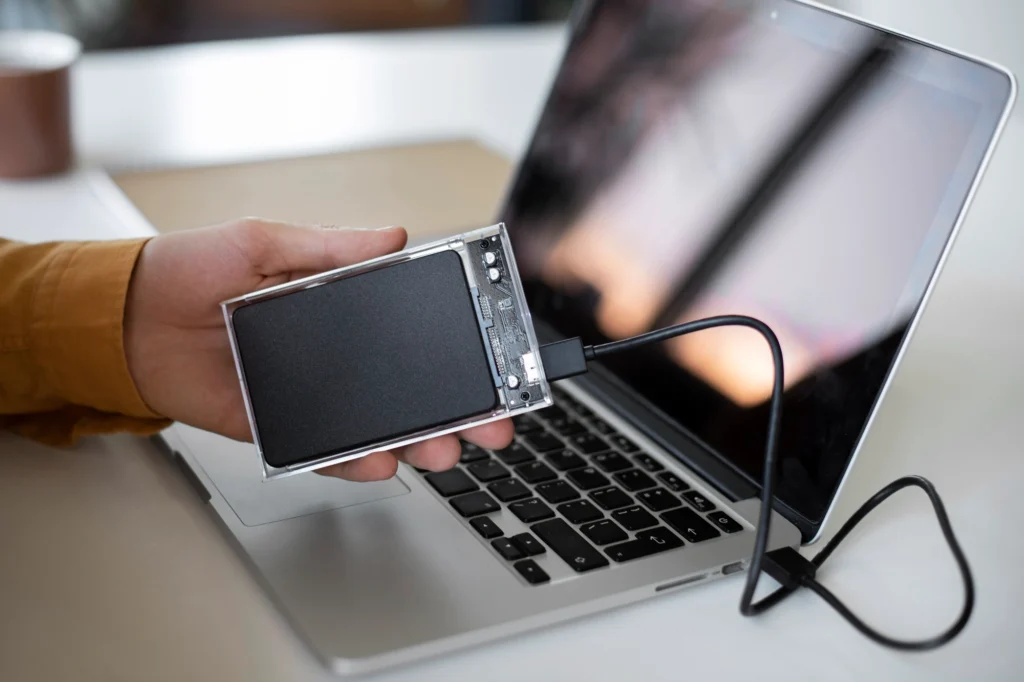
A Solid-State Drive (SSD) uses flash memory to store data. Unlike traditional HDDs, SSDs have no moving parts, which allows them to access data much faster. This results in faster boot times, quicker file transfers, and a significant improvement in overall laptop performance.
What Is an HDD?
A Hard Disk Drive (HDD) uses mechanical spinning disks to read and write data. Because of the moving parts, HDDs are slower than SSDs. However, they are often more affordable, making them a go-to choice for budget-conscious users who need large storage capacity.
Key Differences Between SSD vs HDD
| Feature | SSD (Solid-State Drive) | HDD (Hard Disk Drive) |
| Speed | Much faster data access and transfer | Slower due to mechanical parts |
| Durability | More durable, no moving parts | Less durable, sensitive to shock |
| Storage Size | Typically more expensive per GB | Offers larger storage options at a lower price |
| Noise | Silent operation | Can be noisy due to spinning parts |
| Energy Efficiency | Consumes less power, leading to longer battery life | Consumes more power, impacting battery life |
| Cost | Higher cost per GB | Lower cost per GB |
Which One Should You Choose?
The choice depends largely on your needs. Do you prioritize speed, durability, and battery life? Or is storage capacity and budget a bigger concern? Let’s explore these factors in more detail.
How Does an SSD Impact Laptop Performance?
If you’re wondering how much of a difference an SSD can actually make to your laptop’s performance, the answer is substantial.
Faster Boot Times
One of the most noticeable benefits of upgrading to an SSD is the dramatic reduction in boot times. With an SSD, your laptop will boot up in a fraction of the time it would take with an HDD. For example, with an HDD, booting up Windows might take 30 seconds or more, while an SSD can achieve this in under 10 seconds.
Improved Application Load Times
Opening programs, whether it’s Photoshop, Excel, or even your web browser, becomes almost instantaneous with an SSD. HDDs can take several seconds (sometimes even minutes) to load larger programs, whereas SSDs perform these tasks in a blink of an eye.
Faster File Transfers
Transferring files from one folder to another or copying data from external devices is much faster with an SSD. Whether you’re dealing with large video files, high-res images, or a massive project folder, SSDs can handle these tasks in record time.
Pro Tip
If you’re working in high-demand fields like video editing or 3D rendering, an SSD is a no-brainer. The speed improvement can shave hours off your workflow.
How Does an HDD Compare to an SSD for Laptop Storage?
While SSDs have clear advantages in speed, HDDs have their own merits when it comes to laptop storage.
Affordability and Storage Size
One of the key reasons many users still opt for HDDs is their affordability and larger storage capacities. An HDD offers significantly more space for a lower cost. If you need 1TB or 2TB of storage for large files, an HDD might be the most cost-effective option.
For instance, while a 500GB SSD may cost you $50-$80, a 1TB HDD may only set you back $30. If you need the maximum storage without breaking the bank, an HDD could be the better choice.
Ideal Use Cases for HDD
- Budget-conscious users: If you need large storage but can’t afford a high-priced SSD, an HDD offers the best value.
- File-heavy users: Those dealing with a lot of multimedia files (videos, photos, etc.) may appreciate the massive storage HDDs provide.
Pro Tip
If you don’t mind the slower speeds, you can use an SSD for your operating system and frequently used programs, while using an HDD for storing large files like videos and music. This hybrid setup combines speed and storage efficiency.
SSD vs HDD: Which Is Better for Gaming?
If you’re a gamer, the choice between SSD and HDD can dramatically impact your experience. Let’s compare the two.
Game Load Times
One of the most significant differences you’ll notice when gaming on an SSD is faster load times. SSDs significantly reduce the time it takes to load into a game or level, offering a smoother experience, especially in open-world games with large maps.
For instance, a game like Red Dead Redemption 2 or Call of Duty: Warzone can take several minutes to load from an HDD, whereas it can load in less than half that time with an SSD.
Storage for Large Game Files
As game file sizes continue to increase, the need for substantial storage becomes apparent. However, SSDs are now available with large capacities, and although they are pricier than HDDs, the performance gains may justify the investment for serious gamers.
Pro Tip
For serious gaming, it’s worth investing in an SSD for faster load times, but you can still use an HDD for secondary game installations or other non-essential files. This combination maximizes both storage and performance.
Will an SSD Improve Battery Life on Your Laptop?
If you’re constantly on the go, battery life is an important consideration. Here’s where SSDs shine.
Power Consumption
SSDs use far less power than HDDs because they lack moving parts. This reduction in energy consumption translates into longer battery life for your laptop. Depending on the model and usage, an SSD could extend your battery life by as much as 20-30%, compared to an HDD.
Pro Tip
For those who travel frequently or work remotely, upgrading to an SSD can lead to better portability, reducing the need for constant charging.
Is an SSD Upgrade Worth the Price?
While SSDs offer clear advantages in terms of speed, durability, and battery life, the price difference can be a deterrent. Is it worth the investment? Let’s break it down.
Cost vs Benefit
The price of SSDs has been dropping steadily, making them a more affordable option for users who want faster performance without a huge financial outlay. However, if you don’t need the extra speed and can live with slower data transfer rates, an HDD might be more suitable.
Pro Tip
If your laptop’s performance is slowing you down and you rely on it for professional work, upgrading to an SSD is one of the most cost-effective ways to boost productivity. The return on investment is often immediate.
Conclusion
When it comes to upgrading your laptop storage, the choice between SSD vs HDD boils down to your specific needs and budget. If speed, durability, and battery life are your priorities, an SSD is the clear winner. For those on a budget or needing massive storage capacity, an HDD might be more appropriate.
Call to Action
If you’re ready to boost your laptop’s performance, consider upgrading to an SSD. It’s an investment that pays off quickly with faster boot times, quicker file transfers, and improved overall responsiveness. Need help with the installation process? Check out our guide on how to upgrade your laptop’s storage.
FAQ Section
1. What’s the main difference between an SSD and an HDD for laptops?
An SSD is faster and more durable because it uses flash memory, while an HDD relies on mechanical moving parts. SSDs improve boot times and overall performance, but they are more expensive per gigabyte.
2. How much faster is an SSD compared to an HDD?
An SSD can be 3-5 times faster than an HDD in terms of boot times and file transfers. A typical SSD can read/write data at speeds up to 550 MB/s, while an HDD averages around 100-150 MB/s.
3. Should I get an SSD or HDD for gaming?
For gaming, an SSD is highly recommended for faster load times and smoother gameplay. However, if you need more storage, a hybrid setup with an SSD for games and an HDD for secondary storage can be ideal.
4. How much does an SSD upgrade cost?
The cost of an SSD upgrade depends on storage capacity. A 500GB SSD typically costs between $50-$80, while a 1TB SSD may range from $100-$150. Prices are dropping, making SSDs more affordable than ever.
5. Can an SSD improve battery life on my laptop?
Yes, since SSDs consume less power than HDDs, upgrading to an SSD can result in longer battery life. You could see up to 30% longer battery life, especially during intensive tasks.
6. Is an SSD upgrade worth it for a laptop that is 5+ years old?
Absolutely! Even older laptops can benefit from an SSD upgrade. It can breathe new life into your device by improving performance, speed, and battery life, making it feel like a brand-new laptop.
7. Can I combine an SSD and HDD in my laptop?
Yes, many laptops support dual drives. You can install a smaller SSD for your operating system and frequently used programs, and use a larger HDD for mass storage of files like videos and photos. This gives you the best of both worlds.