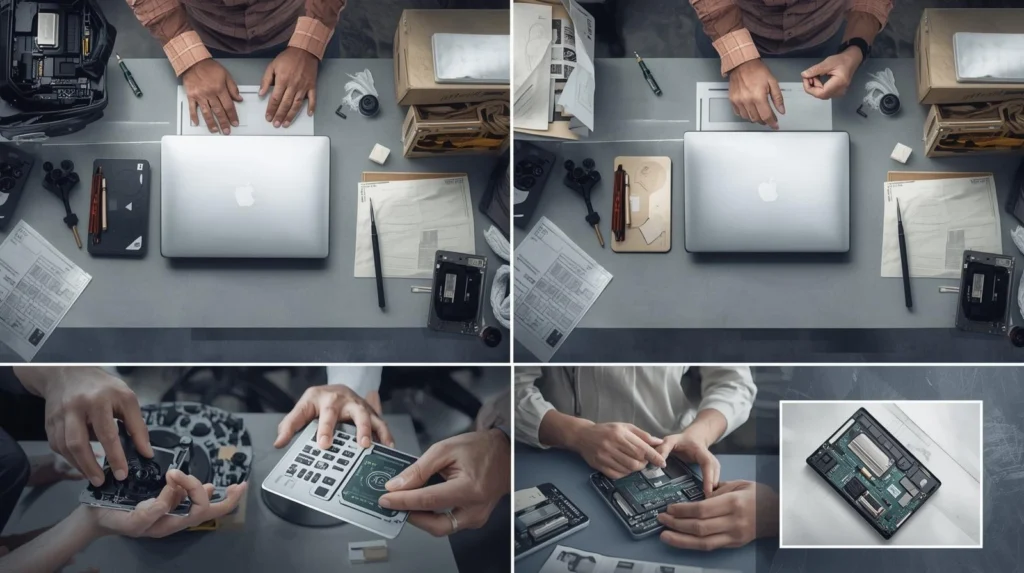
Have you ever had to ship your laptop for repair? It can be a nerve-wracking experience, especially when you’re entrusting your expensive device to a third party. Whether you’re dealing with a cracked screen, hardware failure, or other issues, ensuring your laptop arrives safely is paramount. But here’s the kicker: many people unknowingly make critical mistakes during the packaging and shipping process that could lead to further damage.
Did you know that over 20% of electronics sent through the mail suffer damage during transit due to improper packaging?
That statistic underscores the importance of packaging your laptop correctly before shipping it off for repair. In this guide, we’ll show you exactly how to ship your laptop for repair, from choosing the right packaging materials to understanding the common mistakes that can compromise your device. Whether you’re a business owner or an individual, following these tips will help you avoid unnecessary headaches and ensure your laptop arrives in one piece.
How Do I Properly Package My Laptop for Mail-In Repair?
When shipping a laptop for repair, the most important step is ensuring it is securely packed to prevent damage. Improper packaging can cause your laptop to be damaged during transit, leading to additional repair costs or even the loss of your device.
Pro Tip: Always use a sturdy, appropriately sized box. A box that is too large will result in your laptop moving around too much, while one that is too small can put pressure on the laptop.
Step 1: Back Up Your Data
Before shipping your laptop for repair, back up all important files. While most reputable repair shops will take precautions to avoid data loss, it’s always best to have a backup, just in case. You can use cloud storage services like Google Drive or Dropbox, or an external hard drive for larger files.
Step 2: Power Down and Disconnect
Shut down your laptop and remove any accessories like USB drives, cables, or SD cards. Powering down your laptop ensures it won’t overheat during transit, and removing extra accessories prevents them from getting lost.
Step 3: Secure the Laptop Inside the Box
Place your laptop in a protective sleeve or case (preferably a padded one). If you don’t have one, wrap the laptop in bubble wrap or soft foam, ensuring that the screen and keyboard are well-protected. This layer of protection will absorb any shocks or impacts.
Step 4: Choose the Right Box and Packing Materials
Choose a box that is slightly larger than your laptop but not too big. You want at least 2 inches of padding on all sides. Fill any empty space with bubble wrap, foam peanuts, or crumpled paper to prevent the laptop from moving inside the box. Ensure that it is snug but not tightly packed to avoid putting pressure on the screen.
Step 5: Seal and Label
Seal the box securely with high-quality packing tape. Label the package with the repair shop’s address, return address, and any tracking information. If the repair shop requests additional labeling (e.g., for warranty purposes), make sure to include that as well.
What Are the Best Shipping Options for Laptop Repairs?
Choosing the right shipping service for your laptop repair is crucial to ensuring safe and reliable delivery. Different carriers offer varying levels of security, delivery times, and insurance options. Let’s break down your options:
Shipping Carrier Comparison
| Carrier | Service Options | Insurance Options | Estimated Delivery Time |
| FedEx | Ground, 2-Day, Overnight | Up to $100 free; extra available | 2-7 days, depending on service |
| UPS | Ground, 2-Day, Overnight | Up to $100 free; extra available | 2-7 days, depending on service |
| USPS | Priority Mail, Express | Up to $100 free; extra available | 1-3 days, depending on service |
Pro Tip: Always select a shipping service that includes tracking and insurance. Laptops are expensive, and ensuring that the package is traceable and insured protects you in case of loss or damage.
For faster and more secure delivery, consider FedEx or UPS, both of which offer specialized services for electronics. While USPS is an economical option, it’s better suited for smaller, less fragile items.
How Can I Protect My Laptop From Damage During Transit?
While packaging is essential, there are also additional steps you can take to further minimize the risk of damage during transit.
Use Anti-Static Bags
Laptops contain delicate internal components that can be sensitive to static electricity. To mitigate this, place your laptop in an anti-static bag before packing it. This adds another layer of protection against electrical damage, especially if the laptop will be exposed to fluctuating conditions during transit.
Insure the Shipment
It’s always a good idea to insure your laptop for its full value when shipping it for repair. Shipping carriers like UPS and FedEx offer insurance coverage options, but it’s important to check the terms of the policy to ensure adequate coverage. If your laptop is valuable, investing in extra coverage is highly recommended.
Choose the Right Shipping Service
Opt for a shipping carrier that specializes in fragile items. Both UPS and FedEx offer shipping options specifically designed for electronics, which provide added cushioning and priority handling. If you’re using USPS, make sure to choose a service that guarantees delivery time and includes tracking.
Pro Tip: If you’re shipping internationally, use the carrier’s express service to minimize the time in transit. The longer your laptop is in transit, the higher the risk of damage.
What Are the Common Mistakes to Avoid When Shipping a Laptop for Repair?
When shipping a laptop for repair, it’s easy to overlook details that could result in damage or delays. Here are the most common mistakes to avoid:
1. Not Using Adequate Padding
Failing to use sufficient padding is one of the top reasons laptops are damaged during transit. If you only use a thin layer of bubble wrap, the impact from handling and rough movement can cause cracks, dents, or screen damage. Always over-pack rather than under-pack.
2. Shipping Without Tracking or Insurance
Shipping a laptop without tracking or insurance is a risky gamble. Even if you trust the repair shop, accidents happen. Without tracking, it becomes difficult to know where your package is. Without insurance, you may be left without compensation if it gets lost or damaged.
3. Not Backing Up Data
Before you ship your laptop for repair, always back up your data. Repair shops typically cannot guarantee that your data will be safe during the repair process, and in some cases, the data may be erased as part of the repair.
4. Shipping in a Box That’s Too Small or Too Large
Choosing the wrong size box can lead to issues during shipping. If the box is too small, it may put pressure on the laptop, potentially causing internal damage. If the box is too large, the laptop may shift around inside, increasing the chances of impact damage.
How Much Does it Cost to Ship a Laptop for Repair?
Shipping costs vary depending on the carrier, shipping method, and the value of the laptop being shipped. Here’s a breakdown of potential costs:
| Shipping Method | Average Cost | Estimated Delivery Time |
| FedEx Ground | $10-$30 | 2-7 business days |
| UPS Ground | $10-$30 | 2-7 business days |
| USPS Priority Mail | $7-$20 | 1-3 business days |
Pro Tip: While it may be tempting to go for the cheapest option, remember that shipping a valuable device like a laptop requires careful handling. Opt for a service with insurance and tracking to ensure the best protection.
Conclusion
Shipping your laptop for mail-in repair doesn’t have to be a stressful process. By following the steps outlined above—packing your laptop securely, choosing the right shipping service, and avoiding common mistakes—you can ensure your device reaches the repair shop safely.
Remember, the key to a successful laptop shipment is proper packaging and using a reliable shipping service. Always back up your data, insure your shipment, and double-check your packaging before sending your device off.
If you’re ready to ship your laptop for repair, make sure to use these best practices to ensure a smooth experience. Need further assistance? Check out our related guides on choosing the best repair services and what to do if your laptop arrives damaged.
FAQ
1. What’s the best way to pack a laptop for shipping?
To pack a laptop for shipping, wrap it in a protective sleeve, followed by bubble wrap. Then, place it in a box with at least 2 inches of cushioning material on all sides to prevent movement.
2. How long does it take to ship a laptop for repair?
Shipping time depends on the carrier and service selected. It can range from 1 to 7 business days. Overnight or 2-day shipping options are available for faster delivery.
3.Is it necessary to back up my laptop before sending it for repair?
Yes, always back up your data. While repair shops take precautions, there’s always a risk of data loss during repairs. Using cloud storage or an external hard drive ensures your data is safe.
4.Can I ship my laptop without insurance?
While it’s not mandatory, it’s highly recommended to insure your laptop when shipping it for repair. Insurance protects you in case of loss or damage during transit.
5.What should I do if my laptop gets damaged during shipping?
If your laptop is damaged during shipping, contact the carrier immediately to file a claim. If you insured your shipment, you’ll be eligible for compensation.
6.Should I ship my laptop in its original packaging?
If you still have the original packaging, it’s a great option for shipping. Otherwise, ensure that you use high-quality packaging materials to secure your laptop.