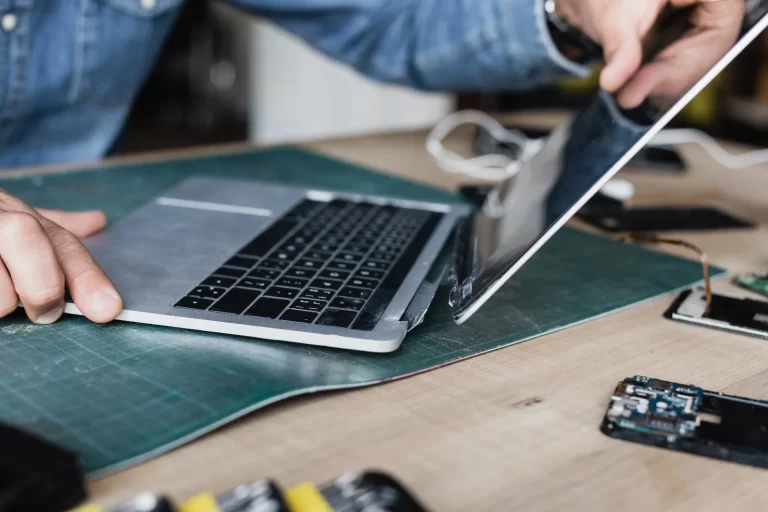
Introduction
Have you ever been stuck with a broken laptop and wondered, “Is it safe to send it away for repair?” It’s a question that many laptop owners face when their device unexpectedly malfunctions, leaving them without access to crucial files or productivity tools.
In today’s fast-paced world, a malfunctioning laptop can disrupt both work and leisure. And with the increasing popularity of mail-in laptop repair services, it’s crucial to ensure your device is sent securely and safely. But how can you trust that your laptop will be in good hands when you ship it off for repair?
This beginner’s guide is designed to help you navigate the world of mail-in laptop repair services. By the end, you’ll understand the steps to ensure your laptop is securely shipped, repaired, and returned without worry. Let’s dive in!
Why Choose a Mail-In Laptop Repair Service?
Mail-in laptop repair services have grown in popularity due to their convenience and accessibility. But what makes this option so attractive to customers? Simply put, mail-in repair services provide a level of convenience that traditional in-person repair shops can’t match.
For example, if you’re in a rural area without access to tech repair shops, a nationwide laptop repair service allows you to ship your device anywhere for repairs. Plus, mail-in services are often more affordable and faster than traditional repair options, as they allow technicians to focus on specialized tasks without the distractions of walk-in traffic.
Pro Tip: Always check the service provider’s turnaround times and shipping policies to avoid unexpected delays. Some services offer expedited shipping or repairs for an additional fee.
How Does a Mail-In Laptop Repair Service Work?
Before you start packaging up your laptop, it’s important to understand how the entire process works. A secure laptop repair service will typically follow these basic steps:
- Request a Quote or Diagnostic: Most mail-in services will first ask for basic details about your laptop’s issue. Some services may offer free diagnostic checks before proceeding with any repairs.
- Ship Your Laptop: Once the quote or diagnosis is confirmed, you’ll receive shipping instructions. Typically, a prepaid shipping label is provided to you, which ensures that the service provider covers the cost of return shipping.
- Repair and Quality Check: After your laptop arrives at the repair facility, technicians will evaluate the issue. Some services also provide real-time tracking for you to monitor the repair process.
- Return Shipping: Once repairs are completed, your laptop is shipped back to you, usually with a warranty or guarantee on the work performed.
Pro Tip: Always back up your files before shipping your laptop. If your laptop’s hard drive is damaged, you may lose your data in the repair process.
Is Mail-In Laptop Repair Safe?
The safety of your device is a critical concern when choosing a mail-in laptop repair service. Here are some ways to ensure that the process is as safe as possible:
- Reputable Service Providers: Choose companies that have positive customer reviews and industry certifications, such as Better Business Bureau (BBB) accreditation. A well-established service provider is likely to take good care of your device.
- Insurance Coverage: Most professional repair services offer insurance coverage on the devices they repair. Be sure to inquire about the level of coverage, as this ensures your laptop is protected in case of any damage or loss during transit.
- Secure Packaging: Many services provide instructions on how to properly pack your laptop for shipping. Use these guidelines to ensure your device is protected from physical damage during transit.
Real-World Example: A customer once shared how they shipped their laptop to a reputable nationwide repair service after a broken screen. The company provided a special padded box and even included an extra layer of bubble wrap for added protection. Their laptop was returned in perfect condition within a week.
How to Properly Ship Your Laptop for Repair?
Shipping your laptop safely is one of the most critical steps in ensuring that your device is protected during the repair process. Here’s how you can properly pack and ship your laptop:
1. Clean the Laptop:
Before packing, remove any dirt or dust from your laptop’s surface. This helps prevent any dust from getting inside the device during shipping.
2. Back Up Your Data:
As mentioned earlier, it’s crucial to back up your files before sending your laptop for repair. Once the laptop is shipped, it may be difficult to recover lost files if the drive is damaged.
3. Secure Packaging:
Use the original box if possible, or purchase a padded, snug-fitting box designed for laptops. Ensure there’s enough padding (foam or bubble wrap) around your device to minimize movement during shipping.
4. Seal It Properly:
Make sure to use strong tape to seal the package. Consider double-wrapping if you’re using a non-original box, as this extra layer of protection helps prevent any physical damage.
Expert Insight: When packing your laptop, avoid using plastic bags. Though they seem convenient, they don’t protect against moisture or impact and can increase the risk of damage during shipment.
What Should You Look for in a Secure Laptop Repair Service?
When considering a secure laptop repair service, ensure the company meets specific criteria for trustworthiness and reliability:
- Clear Communication: A reputable repair service should offer clear communication about their process, pricing, and shipping procedures. You should never feel uncertain about how your laptop is being handled.
- Certified Technicians: Look for services that employ certified technicians with experience working on your type of laptop. This ensures that repairs are done with expertise and care.
- Customer Support: Choose services that offer accessible customer support. A strong customer service team can help answer your questions and resolve any issues that arise.
Real-World Example: One customer chose a nationwide laptop repair service that had 24/7 customer support via phone and live chat. This constant availability made the customer feel confident that they could get real-time updates about their device during the repair process.
How Long Does It Take to Get My Laptop Repaired?
The turnaround time for mail-in laptop repair services can vary, but there are some general guidelines you can expect:
- Basic Repairs: Simple issues such as software fixes or minor hardware adjustments typically take 3-5 business days.
- Major Repairs: More complex repairs, like motherboard replacements or screen repairs, may take up to 2 weeks, depending on the availability of parts and the service provider’s workload.
- Shipping Time: Don’t forget to factor in the shipping time to and from the repair facility. Typically, ground shipping takes 3-7 days each way, while expedited services will shorten this timeframe.
Pro Tip: Always inquire about expedited repair options if you need your laptop returned quickly. Many services offer faster processing for an extra fee.
What Are the Costs of Mail-In Laptop Repair Services?
Mail-in laptop repair costs can vary depending on several factors:
- Type of Repair: Simple repairs such as software issues may be inexpensive (around $50-$100), while complex hardware repairs, like motherboard replacements, can range from $200-$500 or more.
- Shipping Fees: Some services offer free shipping for both sending and receiving the laptop, while others may charge a fee. Be sure to check this before making a decision.
- Warranty: Many services offer a warranty on the repair work, which can protect you against future issues. Ensure you understand what is covered under the warranty.
Comparison Table: Mail-In Laptop Repair Costs
| Service Type | Average Cost | Shipping Fees | Warranty Coverage |
| Basic Software Fixes | $50 – $100 | Free/Varies | 30 – 90 days |
| Screen Replacement | $150 – $300 | Free/Varies | 1 year |
| Hard Drive Replacement | $200 – $400 | Free/Varies | 1 year |
Conclusion
Mail-in laptop repair services provide a convenient and secure solution for those in need of tech repairs, especially when local options are limited. By understanding the process, taking proper precautions, and choosing the right service provider, you can ensure your laptop is repaired safely and securely.
Call to Action: Ready to send in your laptop for repair? Make sure you’ve backed up your data and followed the packing tips in this guide to ensure a smooth and secure repair process. Don’t hesitate to reach out to a reputable service provider that offers clear communication and transparent pricing. Your laptop will be back to its best in no time!
FAQ Section
- How do I find a trustworthy mail-in laptop repair service?
Look for services with positive reviews, certified technicians, and clear pricing and communication. Always check for insurance coverage during shipping. - How long does it take to get my laptop repaired via mail?
Repair times can range from 3 days for simple issues to 2 weeks for complex repairs. Shipping time should be factored in as well. - Can I get my laptop repaired if it’s out of warranty?
Yes, many repair services offer fixes for laptops out of warranty. Ensure the service offers repairs for your specific device model. - Is it safe to send my laptop by mail for repairs?
Yes, but ensure you pack your laptop securely and choose a service that offers insurance coverage and reputable technicians. - What should I do if I’m unsure about the diagnosis of my laptop?
Many repair services offer free diagnostics before any work begins. Take advantage of this service to get a clear understanding of the issue. - How do I protect my data when sending my laptop for repair?
Always back up your data before sending your laptop. If the issue is with the hard drive, consider removing it and shipping it separately. - What are the common mistakes when using mail-in laptop repair services?
Not backing up your data, not confirming insurance coverage, or using inadequate packaging can lead to issues. Always follow the service’s packing instructions.