Your laptop is broken, and the nearest repair shop either can’t fix it or has quoted you more than the device is worth. You found a mail in laptop repair service that costs half. But now the question is whether handing a $1,200 laptop off to a shipping carrier is a terrible idea or not.
This guide covers everything you need to know to mail in your laptop safely. How to prep your device before it leaves. How to package it so it survives trHow to Ship Your Laptopansit, which carrier to use, and why. How to add insurance, and what to expect after you send laptop for repair. By the end, you’ll be confident enough to ship your laptop for repair.
Before You Ship Your Laptop: Do These 4 Things First
When it comes to shipping a laptop, people jump straight to packaging and regret it. Always back up your data before sending your laptop. Document your laptop’s condition to inform the service shop about any existing damage. Strip out all accessories you don’t need to send, and submit your repair request online first. These four steps take less than an hour and protect you from many problems.
Back Up Everything Before It Leaves Your Hands
Certified technicians always recommend backing up your data. Every file, every folder, before you ship. Shipping is rough on electronics, and accidents like a sudden drop, a conveyor belt impact, during transit can cause data loss that has nothing to do with the repair itself.
Use an external hard drive for a full local backup, or upload your important files to a cloud service like Google Drive, iCloud, or OneDrive. It hardly takes anywhere from 20 minutes to a few hours, depending on how much you have stored. Either way, do it before you pack.
Document Scratches and Existing Damage With Photos
Spend two minutes and photograph your laptop from every angle: top, bottom, sides, screen, keyboard. Capture any existing scratches, dents, or wear. Document the laptop’s condition with your phone so the photos are timestamped.
Email them to yourself so you have a dated record. This protects both you and the repair service if there’s ever a question about the laptop’s condition when it arrived.
Remove All Accessories Before Packaging
The next thing is what to include when shipping a laptop. Only send the laptop itself or any component directly related to the repair (like a faulty RAM stick you’ve already removed).
Don’t ship your charger, mouse, laptop bag, USB drive, or any other accessories unless the repair service specifically asks for them. Accessories add weight, which increases your shipping cost. Plus, they can get lost or misplaced at a repair facility that’s processing dozens of devices.
Submit Your Repair Request Before You Ship
A professional mail in repair service will ask you to fill out a repair request form before shipping. This gives the technicians advance notice of the issue, speeds up diagnostics when your device arrives, and confirms your return shipping address.
At Nationwide Laptop Repair, you complete this form online before you ship, so the moment your laptop arrives, our team already knows what to look for and can move fast.
How to Pack a Laptop for Shipping — The Right Way
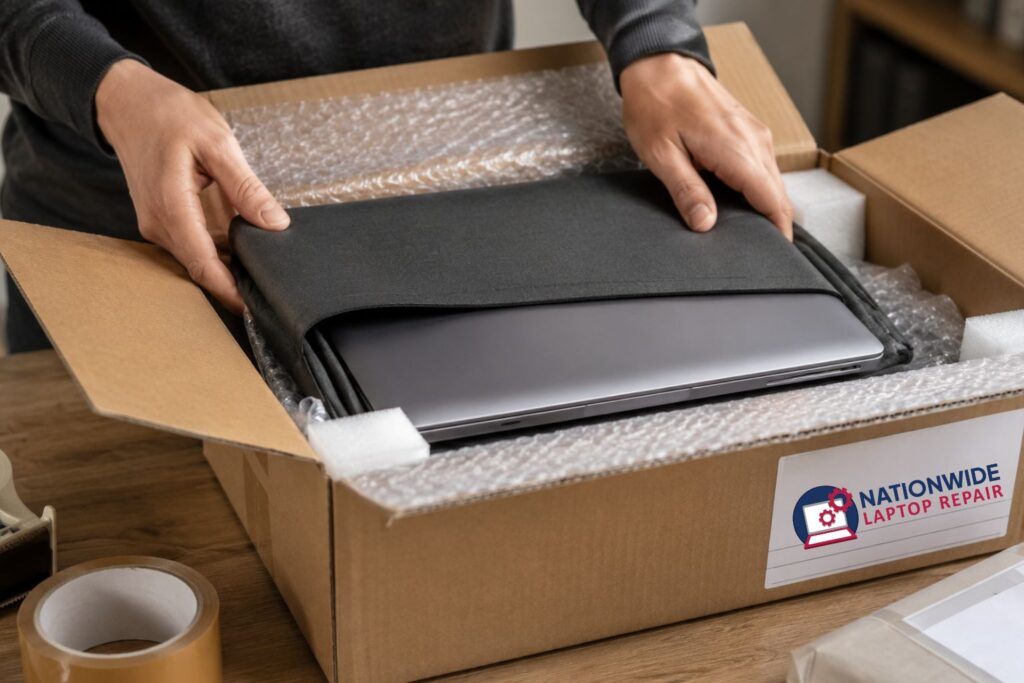
When someone uses a thin box and a plastic bag, the laptops arrive cracked, shifted, and soaked at the repair shop. Use a double-wall cardboard box with at least 3 inches of space on every side. Wrap the laptop in 2 to 3 layers of bubble wrap with extra padding on the screen side. Fill every gap with packing peanuts until nothing moves when you shake the box.
What Box to Use?
If you still have the original box your laptop came in, use it. Those boxes are designed for exactly this purpose. If you don’t have it, use a double-wall corrugated cardboard box that’s at least 3 inches larger than your laptop on every side.
That extra space isn’t air; it’s room for padding. If unsure, you can find suitable boxes at the UPS Store, FedEx Office, Home Depot, or Amazon. Avoid single-wall thin boxes and avoid oversized boxes with minimal padding, where the laptop can slide around and slam into the walls during transit.
How to Wrap the Laptop Itself?
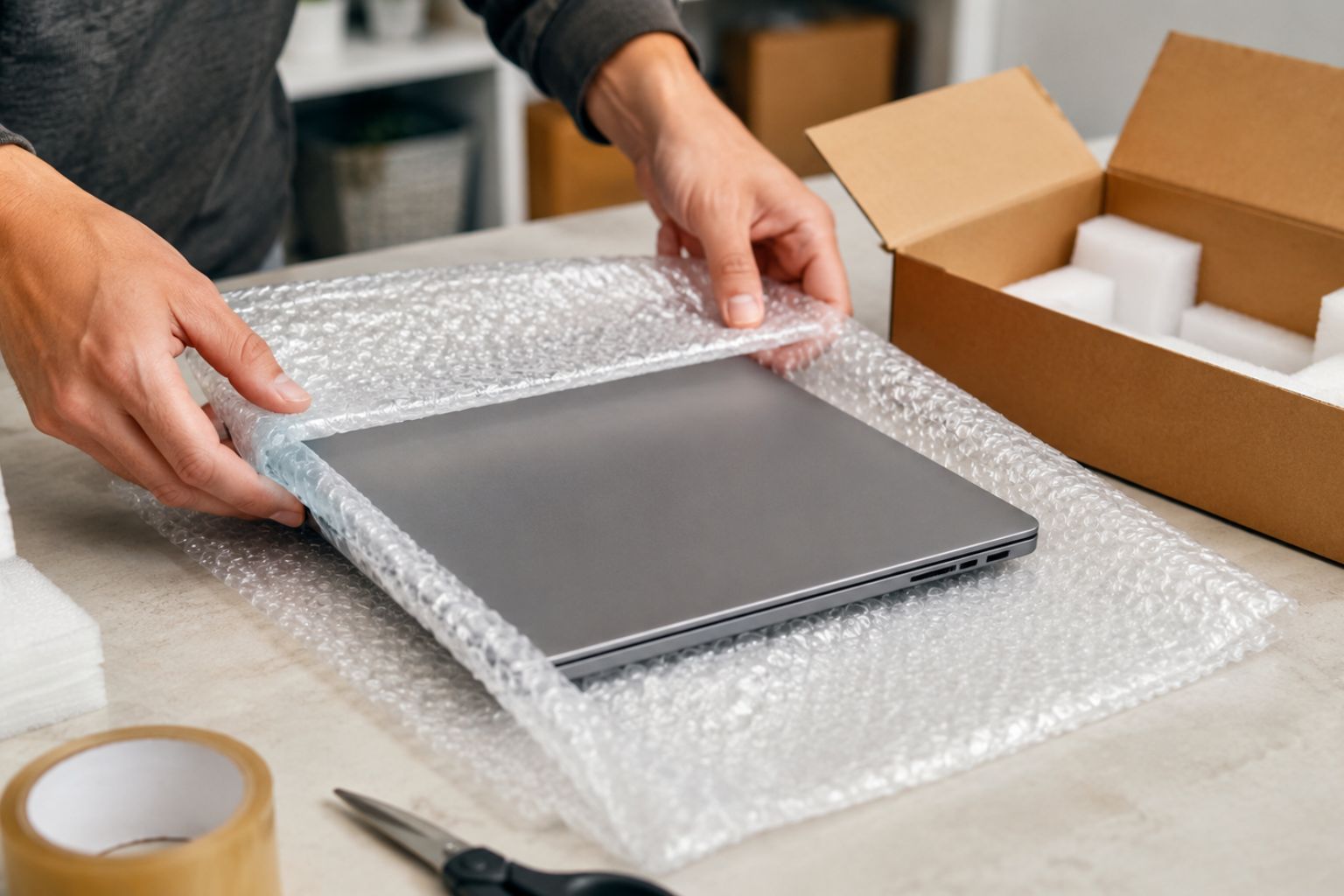
Wrap the laptop in 2 to 3 layers of bubble wrap and secure it with packing tape. The screen is the most fragile part. Give the lid an extra layer of bubble wrap or place a piece of foam padding directly against it.
Don’t use a newspaper or plastic bags. It fills space but provides no cushioning against impact. Plastic bags alone are just as useless. Bubble wrap is cheap, light, and keeps your laptop safe if someone drops the box
Filling the Box
Once your wrapped laptop is inside the box, fill every remaining gap with packing peanuts, crumpled packing paper, or additional bubble wrap. Time for the shake test. Close the box and shake it. If you feel the laptop moving at all, add more padding.
Seal all seams with strong packing tape. Run tape along all edges. This is how to box a laptop safely and protect it during shipping.
What to Put Inside the Box?
Write a note on paper and put it inside the box along with your laptop. Write your full name, phone number, email address, return shipping address, and a brief description of the issue. Labels fall off. Ink smears in the rain. A note inside the box is your backup plan, and it takes 60 seconds.
USPS, UPS, or FedEx? Which Carrier Is Best for Shipping a Laptop?
After shipping hundreds of laptops across all 50 states, UPS and FedEx are ranked as the most reliable carriers for electronics. Declared value tells the carrier what your device is worth. So if it’s lost or damaged, that’s what they pay you back. UPS and FedEx are known for better tracking, easier insurance claims, and stronger declared value coverage than USPS.
USPS
USPS laptop shipping is the most affordable option, especially for smaller packages. Priority Mail Express is fast, and coverage up to $5,000 is available. But USPS insurance claims are slower and complicated to file than UPS and FedEx. If your laptop is worth under $500, USPS with added insurance is right for you.
UPS
UPS is a great option for shipping business laptops, MacBooks, and gaming laptops nationwide. You can easily drop off your devices at UPS Stores everywhere with easy and reliable tracking. UPS laptop shipping declared value coverage handles devices worth $50,000 or more.
FedEx
Overnight and 2-day shipping through FedEx is as fast as it gets. Thus, it becomes the best carrier to ship a laptop. For customers, they offer declared value coverage as well. FedEx Office locations can pack your laptop for you if you’re not comfortable doing it yourself.